Forum Discussion

scottox01
May 21, 2020Copper Contributor
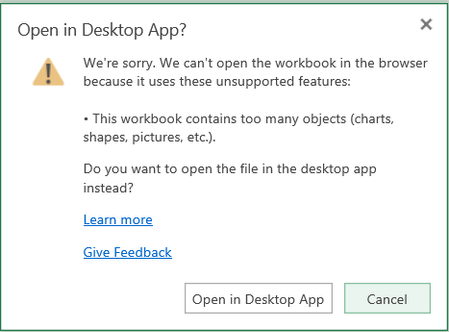
Excel Document on sharepoint only opening in desktop read only
Hi there. My organization uses SharePoint so that the entire team can edit a single document, often simultaneously through the Online app (usually through Internet Explorer). However, I have experien...

May 21, 2020
Hi scottox01 - super frustrating. Is everyone using Excel for O365? I've seen this a few times when someone's OneDrive sync client has stopped working properly. Check out this article: https://support.office.com/en-us/article/excel-file-is-locked-for-editing-by-another-user-6fa93887-2c2c-45f0-abcc-31b04aed68b3?ui=en-US&rs=en-US&ad=US
Hope that helps!

cubachiki
May 21, 2020Copper Contributor
Hi Scot & Kelly
By any chance you know if sharepoint keep a récord if any team member download any document to his/her own laptop/desktop?
thanks
Megan
By any chance you know if sharepoint keep a récord if any team member download any document to his/her own laptop/desktop?
thanks
Megan
- RobElliottMay 22, 2020Silver Contributor
cubachiki go to Site settings and in the Site Collection Administration section click on Audit log reports. I've sometimes found it doesn't work well or gives an error, but have just saved a report on documents viewed/downloaded this week from the Custom Report option at the bottom of the list.
Rob
Los Gallardos
Microsoft Power Automate Community Super User
