Forum Discussion

Enabling InfoPath for SharePoint Online

I know I'm a little late to the thread, but I wanted to chime in and say I agree 100% with Alan and Steve. I've worked with InfoPath for over a decade and have built some ridiculously complex forms. I know I haven't been working with PowerApps nearly as long, but from my experience so far, it isn't there by any stretch of the imagination. Complex forms with massive amounts of custom logic and conditional formatting are relatively straightforward to implement in InfoPath but are very difficult, and in some cases impossible, to completely implement in PowerApps given the display limitations (lack of real estate, lack of sections, lack of repeating tables, lack of real control over layout, etc). Now, maybe my list is wrong and maybe I'm overlooking some capabilities of PowerApps since I'm still fairly new (at least, I HOPE that's the case), but it sure seems to me that Microsoft has really done a poor job on guidance regarding what to do with the impending demise of InfoPath.
Also, thanks for the pointer on Qdabra - I'd heard of it but hadn't done a deep dive yet, but you can bet I will. :)

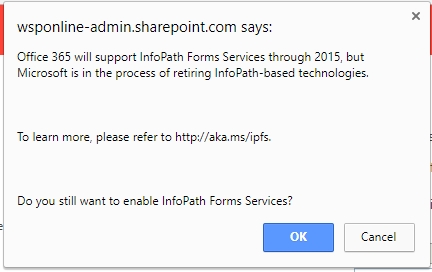
Can either of you, or anyone else, share how to enable InfoPath on SharePoint Online?
Thanks.
 nsyyoungOct 15, 2019Copper Contributor
Open SharePoint Admin Center > Classic features > More classic features > InfoPath (open).
- LAK_BradyMar 14, 2019Iron ContributorDeleted
You can enable InfoPath on SPO from the SharePoint Admin Center | Infopath | Browser-enabled Form Templates | "Allow users to browser-enable form templates" and "Render form templates that are browser-enabled by users" are your choices.
