Forum Discussion

Enabling InfoPath for SharePoint Online
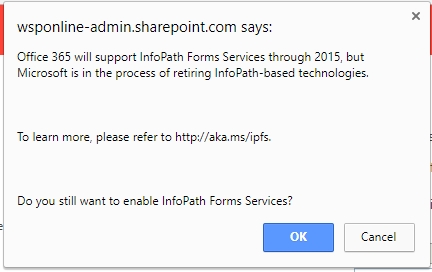

I understand and fully appreciate that the Forms Services element of SharePoint Online (to run InfoPath browser forms) could be pulled my Microsoft at any point, and that is why to me the FormsViewer functionality as provided by Qdabra is the ‘get out of jail (almost) free’ element in the process as far as I am concerned. (I must point out here I am not a Qdabra employee but I am someone who has been looked at many options and am convinced of the approach they have taken with their products.)
Knowing that at any time I can continue to use an InfoPath template form via the FormsViewer capability (in crude terms it takes the place of the Forms Server functionality on the server) takes the pressure off entirely. The code can be installed in-house if need be if security or governance needs require that, however the web version works with both Office 365 or in-house usage. Very importantly it doesn’t store the outcomes – the records /XML files online, just a copy of the design template needs to be uploaded.
Why I've been so convinced about this approach is that the FormsViewer framework means there is no application rebuild process to have to consider at all as native XSN templates can be upload, tested and trialled and then brought directly into production either to parallel run or on simple switch over. Again importantly the existing documents and all future records (XML files and meta data) remain in the same SharePoint library and site so there is absolutely minimal effort and cost when switching over.
To expand my position a bit more, I’m not saying that continuing use of InfoPath is ultimately a sensible long term decision to make, rather I am saying use it while we can, plan to ensure you can still use it in the future (using the FormsViewer capability), and then ultimately look to migrate to a new Business Application (in whatever solution framework actually meets the need for that application - including looking at PowerApps) when it becomes appropriate to do so from a BUSINESS perspective – i.e. when the business needs alter or change. At the same time if InfoPath is no longer fitting the bill or can be supported, or if Microsoft pull the plug on the Forms Server element of SharePoint, then those also become points to ask ‘Do we change’ questions.
As you can guess from the bit of a rant up above, I really like InfoPath and consider there is nothing at the moment that comes close in the Microsoft stack to replace it. From what I’ve seen happen with PowerApps over the past year or so I unfortunately doubt I shall change that position in the coming year either. I wish that wasn’t the case and Microsoft had announced a really excellent replacement with BOTH mobile & tablet AND desktop application capability – but they haven’t.
As such I’m trying to make the best of a bad job, trying to ensure that people think twice before they spend vast sums on rebuilding perfectly good applications (for the moment) which were developed in InfoPath, and to encourage businesses to extract as much value as they can from their investment.
Sorry – I’ll get off my soapbox now! Regards Alan C.

Perfectly sensible rant Alan.. I'm an InfoPath fan myself too so I do get where you're coming from. I guess my point was that Businesses need to make the decision with the understanding of the risk involved. It certainly sounds like you've made that decision based on a sound understanding of the risks.