Forum Discussion

Enabling InfoPath for SharePoint Online
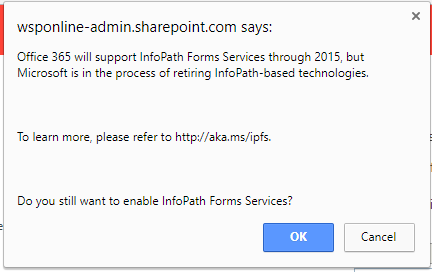

Why do you think you want to use InfoPath? doing this will probably be a major headache. PowerApps is going to a be better choice in almost all scenarios.

I used InfoPath and built highly customized forms using many rules and conditions. Is there a way to migrate these forms to PowerApps? or this is all throw away work?
 Steve HancockSep 14, 2018Copper Contributor
I would keep an open mind at the moment. We are in a similar position and have InfoPath fully integrated into critical business systems in Office365. We have been carefully monitoring the situation.
To be honest there is nothing out there (despite claims to the contrary) that can fully replace InfoPath and I presume this is one reason why Microsoft have slowed down its demise. (It has been included in SharePoint Server 2019). PowerApps and Flow are not there yet.
Our policy is to replace InfoPath and we are doing this gradually. Wherever possible we are migrating to SharePoint Lists and have been successful in using Skybow to develop forms and Qdabra Form Viewer as a disaster recovery solution..
I must admit, the uncertainty around InfoPath has been extremely disruptive and Microsoft have failed miserably in handling this well with it's client base.
- Bruce McGrawMar 06, 2019Copper Contributor
We have used InfoPath since its beginning and built very excellent business apps with it and SharePoint. We have also implemented PowerApss for some new applications and they seem to work fine (Not as many features and capabilities as InfoPath!)
But the biggest issue no one has raised is that PowerApps cannot be used by a guest user!! Most of our apps have the need for outside individuals to use them (Like a consultant or client). We are not going to give those people an office 365 account with our company just to use a form. We have NO such issues when using InfoPath.
Why did Microsoft do this? If they wanted us to move from InfoPath to PowerApps then let us provide for guest users also.
 Alan CourtenayDec 03, 2018Brass Contributor
I totally agree with your thinking Steve, and the pragmatic approach you have taken to move things forward.
There are many companies who over many years have invested in developing with InfoPath (and some who still do) and a message of 'PowerApps is the replacement for all' is not entirely helpful to them or in my opinion the whole truth. It saddens me that the extended usefulness of InfoPath as a product has not been recognised, and let's be generous here and say that perhaps Microsoft and other influencers who suggest only using PowerApps haven’t used InfoPath to any depth.
I’ve developed many solutions with InfoPath and some with PowerApps, and if you are looking at the current functionality, I would judge that it can only do 50% of that which InfoPath 2013 can do - and it requires a far greater level of Developer involvement to reach that far. It also requires Flow to be used to cover certain workflow aspects as well. I do admit that it is a technology which is old, deemed out of date, is a bit clunky and is not great at all from a server perspective, but that's because there has been no real active development of it for more than 5 years.
To my mind that results in a real problem; knowing that which can be achieved with InfoPath and comparing it with that which can be achieved with PowerApps, which solution should a Company opt to use? Undoubtedly over time the PowerApps functional capability will improve, however Microsoft have already spent 3++ years developing PowerApps and it has no where near the level of capability it needs to replace technical InfoPath forms. How long Microsoft will need to increase the functionality to 75% is anyone’s guess. It’s also very obvious that its whole bias is the mobile & tablet focus which just doesn’t cut it if you need forms of a complex and highly capable nature to reflect some Processes of a business.
If you can use PowerApps to replace the simpler instances of InfoPath design then I strongly encourage people to do that. But I also strongly encourage people to seriously look at the complexity and awkwardness of pushing the design capability of PowerApps too far (at the moment), and then having to un-pick/re-design/re-develop that as new features appear (or don’t).
The only natural framework I’ve come across which picks up the InfoPath development effort already invested by companies and takes that as it is, are the Qdabra products. They are the ultimate progressive up-grade path for InfoPath forms ensuring that anything of a technically competent nature has a way of being supported – it’s like proceeding down a street which has a sign-posted as ‘No Exit’ and discovering a cut through to take you back to the main road!
I also concur Steve with your uncertainty comment – Microsoft have really messed up with this one big time.
Alan C.
- Dec 03, 2018
One important thing to consider is that we're talking about SharePoint Online, so whilst InfoPath will continue to be a supported product until 2026, including support in the on-premises versions of SharePoint Server, that doesn't mean it will continue to be supported in SharePoint Online for the same period.
Any feature can be withdrawn from SharePoint Online at any time with the requisite notice which I believe is One Year. Any organisation banking on the availability of InfoPath for a developed solution needs to ensure that they understand the risk and the potential cost if they have to rebuild that solution in a reduced timescale.
That doesn't mean MS are going to pull the product early, but you have to allow for the fact that if it makes commercial sense they can, and you should plan accordingly.

