Forum Discussion

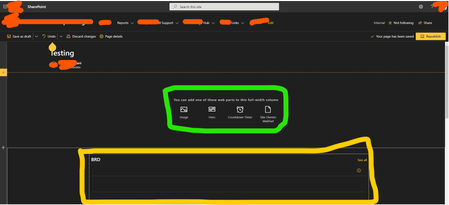
Enable full width column for hosting SP List on a Site Page of modern site on SPO
- Sep 26, 2020Hello,
There are two options to solve this:
1. Add SPFx web part for embeded code and manipulate the DOM to remove the max-width style for the specific area.
2. Create a SPFx web part to display the list and in the manifest, allow it to be shown as full width web part.


GulianiG What you're seeing is a function of your monitor size relative to the optimal screen size that the page is formatted for. You can see this exact mechanism at work if you go to your favorite retail website, such as Amazon or Best Buy.
Open the website in a laptop or resize your browser to be approximately the size of a 13' laptop screen. Now, drag the window wider until it's the width of your screen. See how it fills the extra space on the sides with color bars? That space doesn't really exist on your page. It's just fill to account for your monitor being larger than what the page was optimized for.
SharePoint is doing the EXACT same thing. In a communication site like you've pictured, you'll see the excess fill space split left-right as you've shown. In a team site, the page will be left justified and and all the fill space will be on the right.
SharePoint does this to allow for the responsive design of the pages. The web parts with reconfigure and rearrange themselves to suit the size of your screen so the page looks good on a large monitor, laptop, tablet or phone.
I would not mess with it. You risk really messing up how your page works on other screen sizes.
- Sep 28, 2020Yes that is how responsive design works. However, removing the width limit is only going to make it better. The web parts will still adapt to the browser width and work as usual.
There is no reason to fear minor DOM manipulations. 🙂 GulianiGSep 29, 2020Brass Contributor
ArefHalmstrand Thank you so much for confirming that.
Being able to have the widest screen possible irrespective of devices would make sense.
Because almost 40% users have extended monitor for display that is very large in comparison to our laptop screen users. And if this functionality can cater to both- nothing like it! Looking forward
