Forum Discussion

John Wynne
Aug 24, 2018Silver Contributor
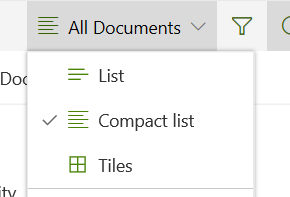
Documents now offers a Compact List view
Documents now offers a Compact List view. If it has been there before I haven't noticed it.

CanadaOneStopShop
Feb 12, 2019Copper Contributor
It's great that it has a compact view. Too bad this isn't the default. I can ask for it to compact view and I want this to be the norm for my entire site but as soon as I close it out and come back in it is all uncompacted again. Any idea of how I can make the page and if possible the entire site "compacted"
Thx

AEC_Mike
Feb 10, 2020Copper Contributor
CanadaOneStopShop John Wynne Did anyone ever figure out how to make the Compact List View the default view?
 Biggles75Nov 15, 2020Copper Contributor
AEC_Mike I still don't think there's an option for it yet, in the UI anyway. There's a user voice asking for compact be to be able to be set as default for a view here: https://sharepoint.uservoice.com/forums/329214-sites-and-collaboration/suggestions/38057041-default-modern-lists-library-views-to-compact-l
- RuthieAWardJan 31, 2024Brass ContributorSomebody at Microsoft actually "heard" the user voice for this! I used the "Save As" method and it worked! Just be sure to save the view with the name of the view you're trying to replace. In my case, I applied the Compact View and used "All Documents" as the name of the view to save it as.