Forum Discussion

Display Site Pages Similar to Doc Library
- Aug 17, 2022
Hello Ukiman1014
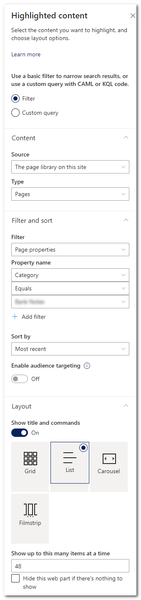
the control and setting in the highlighted content web part are limited.
For a fully customized web part view, i recommend the PnP Modern Search Web Parts. In there, you can customize the query, sort and visualization from your web parts.
Here are more information: https://microsoft-search.github.io/pnp-modern-search/
Regards, Dave

Hello Ukiman1014
i'm not sure i understand you correctly, but i try...
I have configured the Refinement filters in the search results web part, i will only show elements with RefinableString00 is MWCP.
My Query in Refinement filters: RefinableString00:equals("MWCP")
After that configuration, the filters is set to Event MWCP, it's mapped to RefinableString00 in my environment, but you can also enter your search terms into the Search Box. The results web part will use MWCP and your Serach terms:
Is that, what you looking for?
Regards, Dave

Thanks DaveMehr365. I had found a different way to go about it, without using the PnP search filters web part. The reason I did this is because it's such a limited search already that there's really no need to filter further. On the first page of the search results, I specified the search terms from the search bar and my refinement filters.
On the third page, I entered a default value of "*".
This seems to work well, other than it does show results for "*" at the top.
Thanks again for your help!
-Steve