Forum Discussion

Deleting contents in a Date field
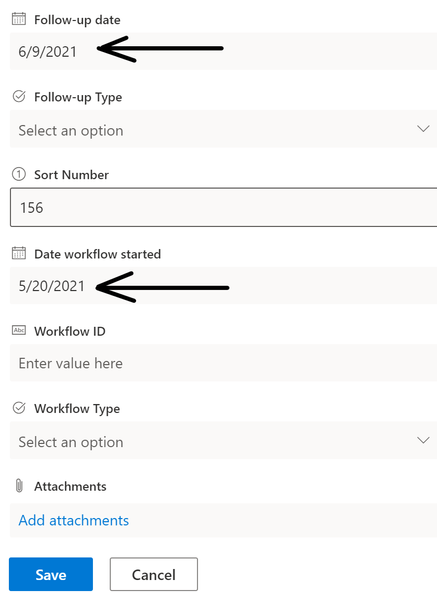

This seems like a recently introduced bug - how can we go about making Microsoft aware of the issue to get a possible fix?

I did find a "workaround" to it - change the List Experience (under Advanced Settings) to Classic, delete the contents (or add new) and then Save. After that, I changed the List Experience settings to New Experience and everything is a-one.
I have learned with SharePoint Online that this workaround seems to fix a few issues I have encountered with my SharePoint sites - views not displaying properly, weird behavior in some data fields etc. It doesn't work all the time but enough now so that it's become my first go-to solution when encountering strange SharePoint behavior. In fact, even though the default value in List Experience is "Default Experience for this site", changing it to New Experience will become my first configuration when setting up new lists and libraries. I am beginning to believe this is where the problem is.
- AndyReesyJun 17, 2021Copper Contributor
That worked! I updated the Library to classic experience, and then back to default and afterwards I could type in a date again, seems to reset it as you say.
Thank you for replying with the workaround, big help. I also raised a ticket and sent video of this to a Microsoft support tech, so perhaps when they take a look at it they'll be able to figure out the root cause. I wouldn't get our hopes up though.
 cookdenmarkOct 30, 2024Copper Contributor
AndyReesy
3½ years later and the issue persists.
It's still not possible to clear an existing value from a date field.
Any news on the matter? jfoster800Oct 31, 2024Copper Contributor
cookdenmark The workaround without changing the experience is to use Edit in Grid View, delete the date, and save the item.