Forum Discussion

testio2
Apr 17, 2019Brass Contributor
Create an 'Age/Days old' column in SharePoint List
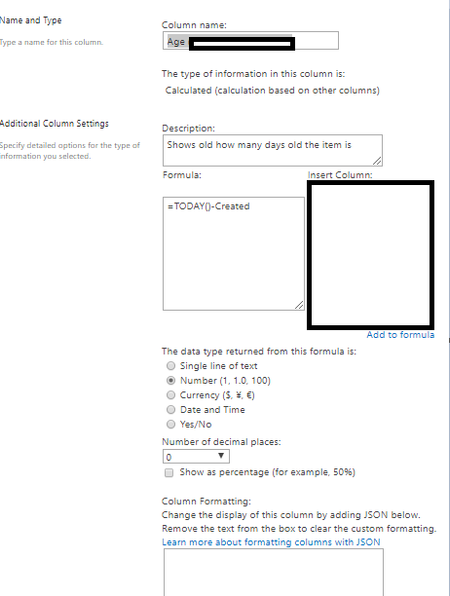
Hello. I am using SharePoint Online with a sharepoint list I wanted to create a column which is called 'Age' This would show many days old an item is What I currently have (Please see pic) i...
 Feb 16, 2020
Hi Norman Young
The Number function of @now (& date fields) returns the value in milliseconds.
The value 86,400,000 represents 1 day in milliseconds
( 1000 x 60 x 60 x 24 )
Yes, by removing the /365 your result will be in days
For month result, you will have have to replace /365 with /30 (this will not be 100% accurate result due different number of days in a month)

MDiehl
Jul 29, 2021Copper Contributor
In a calculated column, use:
=IF(ISBLANK([Date reported]), 0,(DATEDIF([Date reported],TODAY(),"d")))
If anyone jumps on here and is displaying both the date and a count for how many days have gone by (in my case, how old a post is: 2 days, 17 days, etc.). You'll want to identify your own Column and this takes into account the case that the identified date column has not been filled in (will display 0).