Forum Discussion

Content Type Hub- Column can not be found, already in use or reserved
- Jun 03, 2019
Hi Chiara Gomez,
Depending on how you are creating your Site Column, the Internal name must be unique.
Option #1 - User Interface- Having navigated to Site Settings > Site columns
- Click Create
- Enter the internal name (not the final display name) of your new field
For example: MyCompanyLocation - Select the type, group and apply other settings before clicking Save
- Back at the Site Columns page, locate the MyCompanyLocation field
- Click on the MyCompanyLocation name/link to edit
- Rename the file to something nicer e.g. "My Company Location"
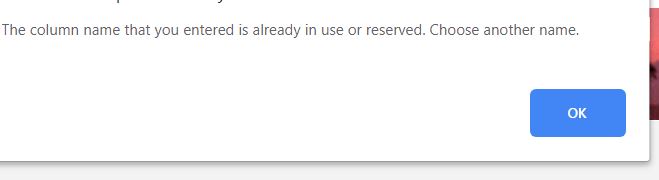
Note: the U.I. will not let you rename the column to "Location", the message will say "The column name that you entered is already in use or reserved. Choose another". PowerShell does not have this limitation...
Option #2 - PowerShell
Setting the internal name using the PnP PowerShell cmdlet is easy, please see the example below adapted from Microsoft documentation:Add-PnPField -List "Demo list" -DisplayName "Location" -InternalName "MyCompanyLocation" -Type Choice -Group "Demo Group" -AddToDefaultView -Choices "Stockholm","Helsinki","Oslo"https://docs.microsoft.com/en-us/powershell/module/sharepoint-pnp/add-pnpfield?view=sharepoint-ps
In your case, Chiara Gomez, I would give your column an internal name of DocumentType or MyCompanyDocumentType and set the display name to something more friendly...

Hi Chiara Gomez,
Depending on how you are creating your Site Column, the Internal name must be unique.
Option #1 - User Interface
- Having navigated to Site Settings > Site columns
- Click Create
- Enter the internal name (not the final display name) of your new field
For example: MyCompanyLocation - Select the type, group and apply other settings before clicking Save
- Back at the Site Columns page, locate the MyCompanyLocation field
- Click on the MyCompanyLocation name/link to edit
- Rename the file to something nicer e.g. "My Company Location"
Note: the U.I. will not let you rename the column to "Location", the message will say "The column name that you entered is already in use or reserved. Choose another". PowerShell does not have this limitation...
Option #2 - PowerShell
Setting the internal name using the PnP PowerShell cmdlet is easy, please see the example below adapted from Microsoft documentation:
Add-PnPField -List "Demo list" -DisplayName "Location" -InternalName "MyCompanyLocation" -Type Choice -Group "Demo Group" -AddToDefaultView -Choices "Stockholm","Helsinki","Oslo"https://docs.microsoft.com/en-us/powershell/module/sharepoint-pnp/add-pnpfield?view=sharepoint-ps
In your case, Chiara Gomez, I would give your column an internal name of DocumentType or MyCompanyDocumentType and set the display name to something more friendly...
