Forum Discussion

Conditional formatting a column based on data in another column
Hi all,
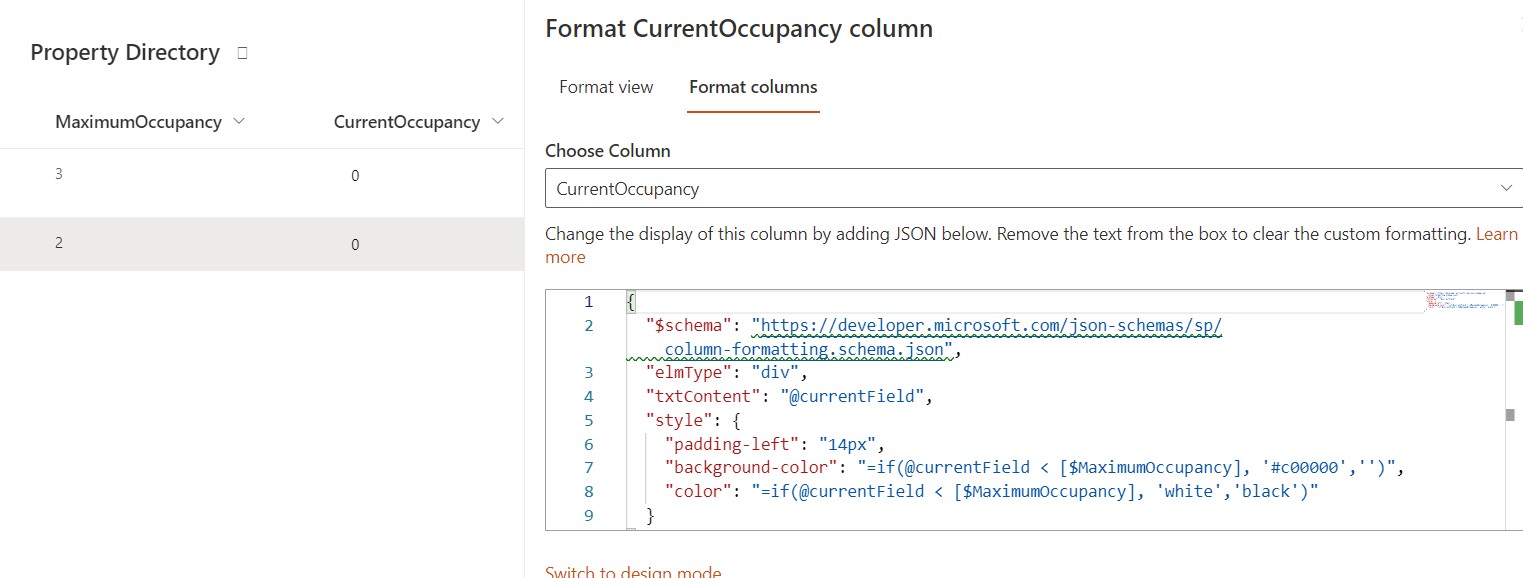
I've been trying to work this out myself but my JSON clearly is needing some work. I'm wanting to format it so that if cell "Current Occupancy" is less than "Maximum Occupancy" that it will turn the cell red.
I can't seem to upload a screenshot so am hoping that will be enough for someone to help?
Thanks in advance!
3 Replies
- RobElliottSilver Contributor
aliciaedwards here you go:
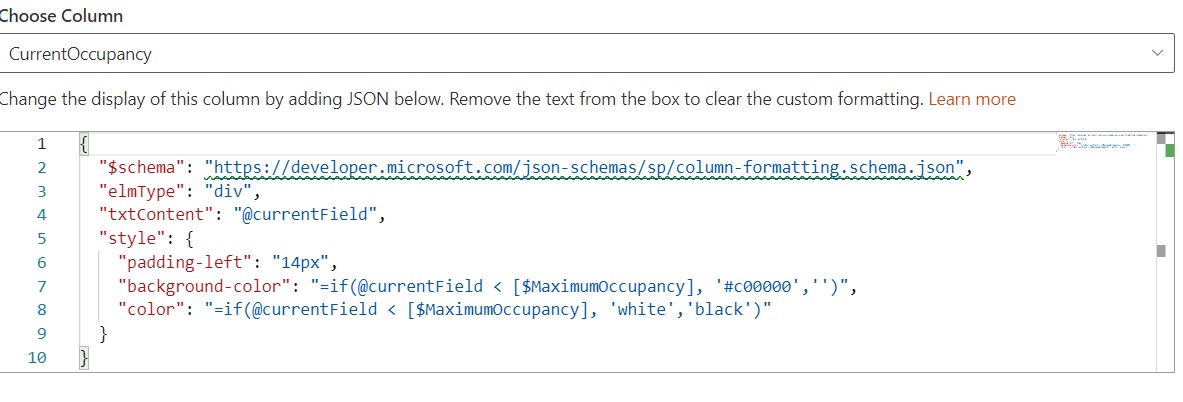
{
  "$schema": "https://developer.microsoft.com/json-schemas/sp/column-formatting.schema.json",
  "elmType": "div",
  "txtContent": "@currentField",
  "style": {
    "padding-left": "14px",
    "background-color": "=if(@currentField < [$MaximumOccupancy], '#c00000','')",
    "color": "=if(@currentField < [$MaximumOccupancy], 'white','black')"
  }
}
And the result is:
Rob
Los Gallardos
Intranet, SharePoint and Power Platform Manager (and classic 1967 Morris Traveller driver) aliciaedwardsCopper Contributor
Hi RobElliott
For the life of me I can't get this to work! I've checked/double checked the formula that I've pasted but nothing happens.
Any ideas?
aliciaedwards You have tagged the question with "SharePoint online" label. But, I want to confirm if you are using SP 2019 modern experience or SharePoint online only?
Also, you have to use the internal name of columns in JSON formatting. So, make sure you are using correct internal name of MaximumOccupancy column: Find the internal name of SharePoint column
Please click Mark as Best Response & Like if my post helped you to solve your issue. This will help others to find the correct solution easily. It also closes the item. If the post was useful in other ways, please consider giving it Like.