Forum Discussion

Column names, sharepoint lists.
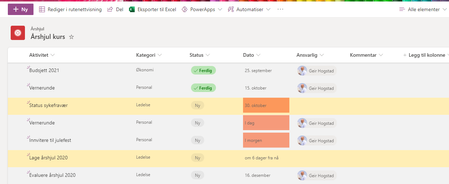

Hogstad_Raadgivning you appear to have renamed the Title column to Aktiviteter but Title is still the name in the background and so will be used by Power Automate etc.
Rob
Los Gallardos
Microsoft Power Automate Community Super User
- Hogstad_RaadgivningNov 30, 2020Steel Contributor
Thank you for your responce RobElliott. That was my thought as well. But the title columnt is still there. I Starte with one of the tempaltes in the List app. So teh column is renamed. But I cant see the original somewhere.
The column "dato" is not showing in Power automate...
Here is the Title column.
Best regards
- Geir
 Mario_FulanFeb 09, 2023Iron Contributor
Hogstad_Raadgivning - Renaming a column in SharePoint simply changes the display name and not the underlying "internal name" for the column. This is to keep scripts and code from breaking when a column is renamed. If you want to use an existing column with a different internal name, then create a new column with the desired name and optionally delete the old column (can't do this with some columns such as Title).
