Forum Discussion

Column Formula on list not working
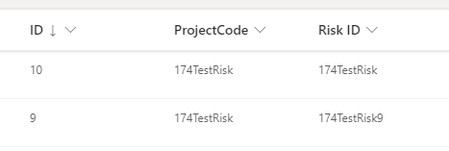

Hi robrkhw - the ID column isn't supported for calculated columns, when building your calculated field, you'll notice it isn't one of the options to place in the formula. As a workaround, you could create a quick Power Automate flow that runs whenever a new item is created with the SharePoint action 'update item' and have that populate the Risk ID field.

Kelly_Edinger thanks for the response
Can you think of a way to achieve what I want without using power automate
This is a proof of concept which I want to rollout for others to use and they will not be confident to use things like power automate.
If I can achieve something with calculated fields it would be handy - perhaps by doing something like creating a hidden column which contains a duplicate of the ID field?
Thanks
- May 02, 2023To create the duplicate hidden field would still require using the ID field so it puts in the same inconvenient spot. Maybe create your own ID column so it's available for calculated columns.
- robrkhwMay 03, 2023Copper Contributor
Kelly_Edinger thanks. So is it possible to create my own ID column which auto populates with a unique ID? If so, how? Thank you.