Forum Discussion

Rob-CTL
Nov 07, 2022Iron Contributor
Column formatting dates broken - or am I going mad?
Hi, I noticed that some of my column's formatting (background colour fills depending on date) was returning odd colours. As I was using my own JSON code I decided to clear out the code and just ...
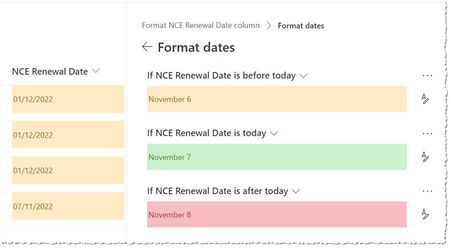
- Nov 07, 2022Ah, fixed the issue. It was indeed the way that I had written the calculated column formula, to get around another issue I had wrapped the DATE function in TEXT, this was causing the dates to be read as MM/dd/yyyy rather than the correct dd/MM/yyyy. Thanks for the pointer ganeshsanap

ganeshsanap
Nov 07, 2022MVP
Rob-CTL Is it considering dates in mm/dd/yyyy format?
Can you try adding 12/1/2022 date for one of the rows, just for testing? Also, need to check the full JSON code used by conditional formatting. It might be converting dates using some operators/functions in JSON.
Please click Mark as Best Response & Like if my post helped you to solve your issue. This will help others to find the correct solution easily. It also closes the item. If the post was useful in other ways, please consider giving it Like.

Rob-CTL
Nov 07, 2022Iron Contributor
ganeshsanap, good idea, I think that is what is happening. I need to work out why this is happening now, the regional settings for the site are correct. I guess the calculated column formula is doing something odd with the dates, although it should be formatting them as dd/MM/yyyy.
- Rob-CTLNov 07, 2022Iron ContributorAh, fixed the issue. It was indeed the way that I had written the calculated column formula, to get around another issue I had wrapped the DATE function in TEXT, this was causing the dates to be read as MM/dd/yyyy rather than the correct dd/MM/yyyy. Thanks for the pointer ganeshsanap