Forum Discussion

Changing the View of "Document Set Contents" in SharePoint Online/2013
- Dec 14, 2017
Open the library in which you are using Document Sets, then go to the Library settings. When the settings are shown, locate your Document Sets content type in the list of Content types. Click on it!
You will now be in the List Content Type page for the Document Sets content type. One of the Settings options is "Document Set Settings" - click on that one!
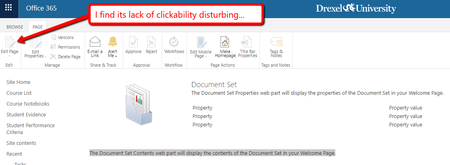
You will now be in the Document Set Settings - at the bottom of the page is an option "Customize the Welcome Page" - this is where you will modify what your Document Sets welcome page will look like and the Edit option under the Page tab should be available for you.
My guess is that you can't do this under the Site Content Types, as they are not related to a Library at that point!
Kind regards, John


-Edit the page
-Remove the documentset contents webpart
-Add the list webpart to the page. Under category -> Apps and choose the list that you are working on.
-Now you have a webpart with more options to configure but giving the same functionality as the original webpart.