Forum Discussion

Nick_Loenders
Aug 22, 2019Tin Contributor
change colour based on field
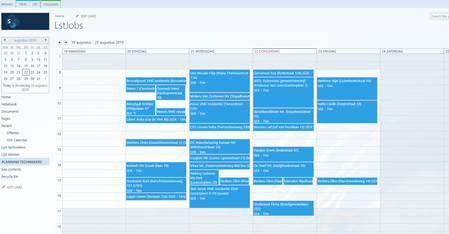
Hi, in the screenshot there are items with technician-fields SDE-Tim and SDE-Kris How can I make these from Tim green and those from Kris red (as example) so there is a good difference viewable...

Aug 22, 2019
Without of the box features there is nothing you can configure here...since you are using the classic view of a SP calendar what you can do is add a Content Editor WebPart to the calendar list view page and in that Content Editor WebPart add the JS Code that can set the different colors you need for the events in the calendar
 Nick_LoendersAug 22, 2019Tin Contributor
jcgonzalezmartin OK, and how can I do this? Is there a beginners tutorial somewhere I can use for this?
- Nick_LoendersSep 06, 2019Tin Contributor
if I am in the list and show the calendar view I cannot click on Forms Web Part, it seems disabled. Probably it is a discontinued feature 😞 ?
- Nick_LoendersSep 09, 2019Tin Contributor
I created an overlay calendar so the client can at least see in a different calendar an overview