Forum Discussion

BUG? Hero Webpart's first Tile's image is always blurry/poor quality
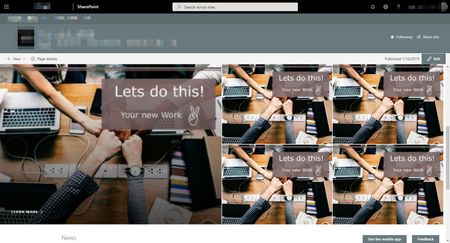


Collab-Constructor_93 Not sure if anyone is still looking for a fix for this, but I just ran into the issue recently and came looking for answers. I've managed to fix the issue on my site, so figured I'd share what worked in case it helps anyone else.
I've always used a 16:9 aspect ratio, but I never worried about what size the image was, as long as it hit that ratio... In this instance, actual size matters a lot. I ran a test and figured out that if I set my image size to be 1920px x 1080px at 150dpi, it loads perfectly and clear.
I reprocessed all my hero images in Photoshop and uploaded new files. As soon as I replaced the old files with the newly sized files, all images were crystal clear when loading and refreshing the page.
Hopefully this will help others. Best of luck!