Forum Discussion

Anonymous sharing links for folders cease to work
 Jun 21, 2017
can you check if you have the lockdown feature active on the site ? if so you will need to disable it


 Microsoft
Can you take a screenshot of the access denied page you are seeing? If the link is expired, you should see a different error message informing you of that.
You can also try deleting that link and recreating it and see if that helps.
Thanks!
Stephen Rice
OneDrive Program Manager II
- bart_vermeerschJun 20, 2017Steel Contributor
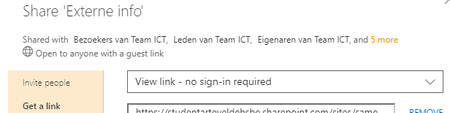
I just tried removing the anonymous link: I don't get any error messages (and close the dialog just to be sure). But when reopening the Get a link dialog, the anonymous link is still present. I tried a few times, I tried as site collection admin as well but we can't remove it. I've now set an expirary date for 1 day and will check what happens next...
The access denied page says: Access denied, you don't have permissions, log in with your organizational account...
Toegang geweigerdU hebt geen machtigingen voor toegang tot deze bron.- Bruno AleixoJun 20, 2017
does that site has publishing feature active ?
- Bruno AleixoJun 21, 2017
can you check if you have the lockdown feature active on the site ? if so you will need to disable it

