Forum Discussion

Rowell2022
Jul 16, 2024Copper Contributor
Add days to Calculated Columns base on Number of Months
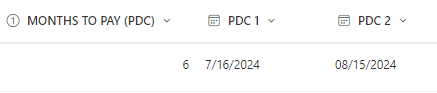
Hi, Please help me with this calculated formula. I am currently creating a sharepoint list for payment monitoring. I have columns: Months to Pay (number), First Payment(date), Second Payment(d...

Rowell2022
Jul 18, 2024Copper Contributor
Hi Expiscornovus
Thank you it worked. But how can I enter the formula for a blank if criteria does not meet.
Thank you it worked. But how can I enter the formula for a blank if criteria does not meet.

Expiscornovus
Jul 18, 2024Iron Contributor
Rowell2022 if you want to leave it empty you can just use
" "
Below is an adjusted example
=IF([Months to Pay]>=3,DATE(YEAR([First Payment]),MONTH([First Payment]),DAY([First Payment])+60)," ")