Forum Discussion

JohannB
Nov 13, 2023Tin Contributor
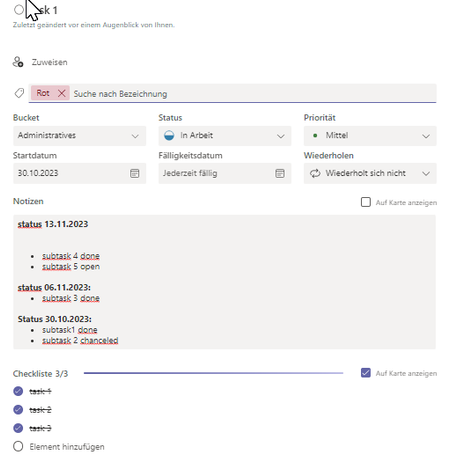
MS Planner | Add in notes field a timeline with date when subtasks are done
add in notes field a status timeline with a date when subtasks are done add date and Time by subtasks of a task calculate the task percentage of done work, by the done subtasks

QillsWer
Nov 18, 2024Copper Contributor
To add a timeline with dates when subtasks are completed in Microsoft Planner, you can utilize the Notes section of each task to manually update a status timeline. However, Planner does not automatically generate a visual timeline or track task completion based on subtasks. For tracking completion dates of subtasks, you can include a custom status (e.g., "Completed https://dddcodigo.com.br/ [Date]") in the Notes or Comments section for each subtask.
 robbyNov 18, 2024Copper Contributor
ok, thank you QillsWer