Forum Discussion

Outlook.com Spell Check
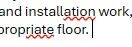

The screenshot shows underlining affecting part of otherwise correctly spelled text, so adding the whole word to a dictionary may only hide the symptom. Outlook.com and your browser can both provide writing assistance; first establish which one is producing the mark. Type the same sentence manually into a new draft and compare Outlook's Editor pane with the inline underline. Check that the proofing language matches your text. If you use Edge, compare its Basic writing assistance with Microsoft Editor, changing one setting at a time so the result is meaningful. Then test Outlook.com in another browser with the same account. Avoid adding incorrect fragments to your dictionary. If only Outlook's Editor reproduces the problem, submit feedback with the exact sentence, language, browser version and screenshot. If only one browser does, report the writing-assistance behavior there instead.