Forum Discussion

How to set your display name in the New Outlook?
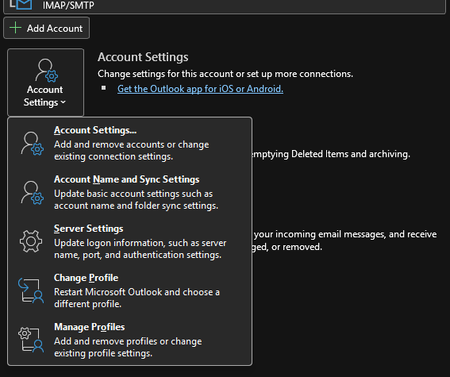

New Outlook does not provide the “Your name” control used in classic Outlook, so there is no equivalent setting. The workaround depends on the account type. For a Microsoft Exchange or Microsoft 365 work account, ask the administrator to change the directory display name; users cannot override it in Outlook. For a personal Microsoft account, update the name in the Microsoft account profile, allow time for propagation, then send a test to an address that has not cached the old contact. For an IMAP or POP account, change the sender name with the mail provider if offered. If that value is still ignored, switch to classic Outlook, open File > Account Settings > Account Settings, select the account, and edit “Your name.” Microsoft’s support page confirms that editing the recipient-visible display name is not yet available in new Outlook, so classic Outlook or a server-side change is the supported workaround.