Forum Discussion

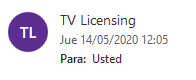
Can't see sender email address (Outlook web)


DeletedHi, do you know which contact form should I use to contact Office 365 support team? Because I tried to contact several times to Microsoft using different chats/forms and none of them seem to be right one.
Thanks.
 ThomasMermodJan 08, 2023Copper ContributorI have the same bug. It's outrageous that it's not possible to just show the real email of the senders. Do you have thought of all the peoples scammed like this ? It's simple, we want the name only four our contact. If the mail is not from our contact, just display the address. It's not thinkable that you don't fix it in more than 2 years.
 luli2345Dec 17, 2022Copper Contributor
I have the same problem, I cant block this sender as i can't see the sender's address. I think it's a bug for outlook. Many users have this problem, please fix it.Deleted
- DeletedDec 09, 2022
Thank you for being with us again!
if it is an address that has been associated with the services, or is part of 2MFA, it is worth changing this address to another, check whether the security services have changed to a new address, and this just needs to be removed, of course I would do so, it is not worth fixing it a waste of time.
Please read this article, it is worth sending suspicious emails for check:
https://consumer.ftc.gov/articles/0210-how-get-less-spam-your-email#everyone
- charismatic100Dec 09, 2022Copper ContributorFast forward to December 2022. The issue still exists and now the spammers/scammers/phishers who are sending hidden sender email address emails have also disabled the sweep function of their emails. Sweep function is available on legitimate emails, not the new wave of hidden sender email address scam emails.
- DeletedJul 07, 2021
Hi, because still someone is trying to deceive you and it takes a very long time - I would be interested in this topic police - there are specialized people who have the right tools to check it to protect others - from scammers.
Good luck Andrew
- xerez1947Jul 07, 2021Brass ContributorHi, thank you for the information. I don't see any direct form I can fill with all the information I gathered, so I will follow the recommendation of the third link and simply report the emails from Outlook, as usual. Hopefully they will fix this in the next 10 years when a lot of people has been scammed.
- xerez1947Jul 07, 2021Brass ContributorHi, thanks for the links, although I think they're not contact forms, or at least I don't see a way to report anything.
- DeletedApr 16, 2021
https://docs.microsoft.com/en-us/microsoft-365/security/office-365-security/user-submission?view=o365-worldwide
https://docs.microsoft.com/en-us/microsoft-365/security/office-365-security/report-junk-email-messages-to-microsoft?view=o365-worldwide
Surely you will have no doubt that you have to report to Microsoft there is no other way! Good luckhttps://docs.microsoft.com/en-us/microsoft-365/security/office-365-security/submit-spam-non-spam-and-phishing-scam-messages-to-microsoft-for-analysis?view=o365-worldwide
- DeletedApr 16, 2021
Hi!
https://docs.microsoft.com/en-us/microsoft-365/security/defender/advanced-hunting-query-emails-devices?view=o365-worldwide
https://docs.microsoft.com/pl-pl/microsoft-365/security/office-365-security/use-the-delist-portal-to-remove-yourself-from-the-office-365-blocked-senders-lis?redirectedfrom=MSDN&view=o365-worldwideIn this 2 link should be the correct form to which you will need to log in, this will be the right place- I can not share it on the Forum MTC Good luck I'm happy with your commitment!