Forum Discussion

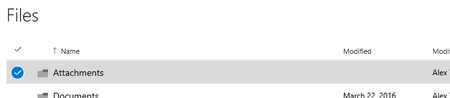
Random 'Attachments' folder appeared in OneDrive for Business

Guilherme Freitas wrote:
I think you are misunderstanding it, this is not a download folder
Well, this is not completely true...
As I already said, the Attachments folder is the download folder for attachments saved directly from OWA to ODfB (in fact, there is no possibility to save an attachment to a different ODfB folder from inside OWA...).

Well, there is a way to save a file to a different folder from OWA. You choose download, and then choose the folder. Of course this only works if you are syncing to hard drives so there are folders to download to.
If you're moving it from OWA to cloud storage, you're not "downloading" anything. The advantage (to me) of ODfB is that I can have full version files on my HD at work and at home that are always identical; editing in the cloud is pretty limited. Editing full version from the cloud is pretty slow and sometimes just refuses to save for unspecified "permissions" reasons (on my personal files!).
So, make the "Attachments" folder optional.