Forum Discussion

Orphaned OneDrive link in Explorer left navigation that cannot be deleted
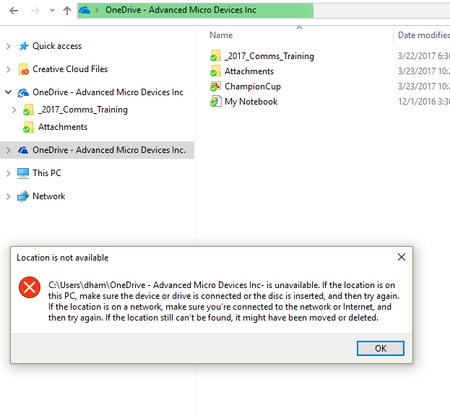

Thanks Salvatore Biscari,
I was hoping there was an easier way to fix other than editing the registry but I did find what I needed to delete. It was a key under HKEY_CURRENT_USER\SOFTWARE\Microsoft\Windows\CurrentVersion\Explorer\Desktop\NameSpace\{guid} that had the (Default) value of the string I was looking for. As soon as I deleted that key that folder was removed from Windows explorer.
Thanks for your response and giving me that extra push to dig into the registry!
Thanks, Bruce...
Making this change actually caused OneDrive to stop working. So we disconnected the account and then re-connected and it started syncing again. But then it got stuck in sync mode so had to run OneDrive.exe/reset and after restarting OneDrive again all was good.
So much work to remove a bad link!