Forum Discussion

OneDrive for Business sync client issue - not finishing
 Dec 22, 2025
Thanks for your suggestions! Itried the manual way.
I searched for folders in the Windows File explorer with pending synchronisation status.
I identified each pending file, moved it to a separate Folder and uploaded via drag and drop via the webbrowser to its destination.
It was about 100 files (luckx me) and took me about an hour. Now it works again, but i still do not know the cause.
Searching the logs would be great i opened this folder and ask myself how to read the logs?
%localappdata%\Microsoft\OneDrive\logs
There are with editor unreadable file types as aodl, etlgz, loggz, odl, odlgz.
SyncDiagnostics.log could be a nice source, but it shows only the current status. As my issue is resolved, the cuase of the problem is not listed anymore.
Regards, Eric

Hey Eric,
It sounds frustrating! A few things you can try to identify the file causing the sync hang:
Check the OneDrive Activity Center – click the OneDrive icon in the taskbar and see if it shows “Processing [filename]” or any stalled files.
Use the OneDrive logs – press Ctrl + Alt + F in the OneDrive client to generate a log file; it often lists the last files being synced.
Move small batches – try moving small groups of files out of your OneDrive folder temporarily to see which batch triggers the hang.
Check for hidden/system files – sometimes hidden temp or system files can block sync.
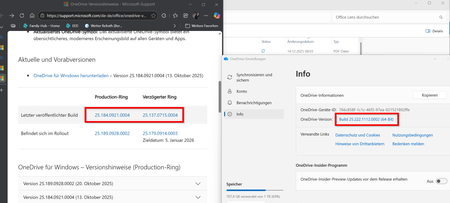
Also, make sure your OneDrive client is up to date; older versions can cause issues not listed in the version notes.
Hopefully this helps you pinpoint the problem!