Forum Discussion

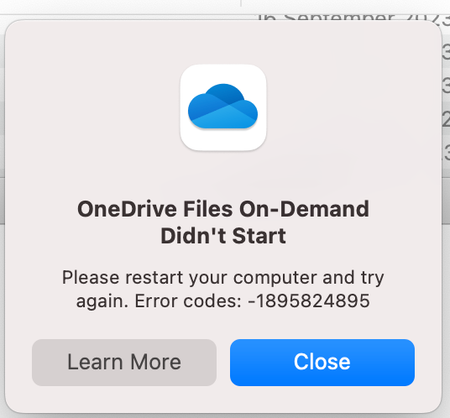
OneDrive Files On-Demand Didn't Start
 Oct 24, 2023Thanks very much, option 5 did the trick.

I’m sorry to hear that you’re having trouble with OneDrive Files On-Demand on your M2 Mac mini running Sonoma. Here are a few suggestions that might help:
1.Check your file system: OneDrive requires the APFS file system. If you’re using a different file system, you might need to upgrade.
2.Check folder permissions: Make sure your OneDrive folder isn’t locked and has the appropriate permissions.
3.Restart your Mac: Sometimes, a simple restart can resolve the issue.
4.Reinstall OneDrive: If the issue persists, you could try uninstalling and reinstalling the OneDrive client.
5.Enable Files On-Demand manually: You can try enabling Files On-Demand manually by typing the following command in Terminal: defaults write com.microsoft.OneDrive FilesOnDemandEnabled -bool true. After running this command, restart your Mac
If I have answered your question, please mark your post as Solved If you like my response, please give it a Like Appreciate your Kudos! Proud to contribute! 🙂 |

 Lokust9Feb 24, 2026Copper Contributor
hey rhargey--I have had the same issue with Files on Demand never running on my PC with Windows 11. I have tried reinstalling One Drive and that doesn't work. Is there a manual way, like maybe the Command Prompt, that I can start Files on Demand? If anyone out there sees this and has a solution for me, I would be very happy! Thanks....