Forum Discussion

MindeaLLC
Nov 27, 2023Iron Contributor
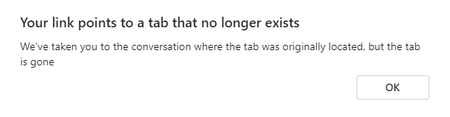
Your link points to a tab that no longer exists
I am the one and only admin for the tenant, I created the Team, I've been owner/member since day one. The Team has a Tab running a Power App. It's worked great for two years. Today I can't see it. Us...
- Nov 28, 2023Great Ceasar's ghost! As of this morning, the tab has reappeared for me. What the hay! Gremlins.
Thanks, everyone for your input.

Nov 27, 2023
Hello,
When you say "Users are having no problem" is that you only have this issue trying to open the Tab?
When you say "Users are having no problem" is that you only have this issue trying to open the Tab?

MindeaLLC
Nov 27, 2023Iron Contributor
The tab does not even appear in the Team channel. Other tabs in the channel appear as normal.
- MindeaLLCNov 27, 2023Iron Contributor
The In Out Board tab displays and works fine for 25 users.
But the tab is missing to me.
This issue just started today. It's been working fine for me for 2 years.
Bing AI gave me instructions on how to restore the tab, but they don't match by step 3.
If you are the owner of the tab, you can restore it by following these steps:
- Click on the … icon next to the channel name and select Manage team.
- Click on the Apps tab and select the app that contains the tab.
- Click on the Settings icon next to the tab and select Configure.
- In the Content URL field, enter the URL of the tab.
- Click Save.
 karen_dredskeNov 27, 2023Steel ContributorTo troubleshoot this I would:
1. Check Teams in a web browser and see if I could see this tab or not (since others are seeing it).
2. Clear the cache in the Teams client.
If you can see it in the web browser then you definitely have a caching issue with your client application. If that doesn't work, do you have a second owner who could remove the tab and then re-add it? See if that works.