Forum Discussion

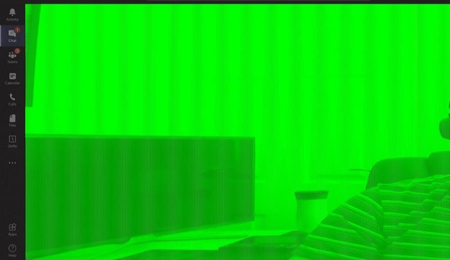
Teams Video Feed Corrupted
 Jan 19, 2021
Found this in the release notes of 461.09
- [NVENC] Colors of webcam video image on receiving end of Skype/Teams/Zoom may appear incorrect [3205912 ]

I'd like to add my experience, in case others have a similar setup as me, because I managed to easily fix my issue.
I'm on a MacBook Pro (2015) running Windows 10 under Parallels Desktop 16.
My camera had been working perfectly fine from April until I noticed the green screen appear yesterday. This may have coincided with me rebooting Parallels and installing a new update in the last few days.
THE FIX: Under the menu: Devices > USB & BlueTooth, my Logitech c925e is listed but it wasn't ticked (meaning it was being controlled by the Mac side). I selected it (now ticked) and tried again and the webcam image became perfect in the Teams desktop app.
On a side note:
I tried checking the drivers and it seems that it's using the old Microsoft driver (21/06/2006, v10.0.17763.1192). There were no further updates when I pressed the Update Driver button and I couldn't find any drivers for my webcam on the Logitech site, though I did download and install the Logitech Camera Settings app (which didn't fix the green screen issue).
So, when Windows took control of it again, it must be using the old MS driver... which seems to be enough to get it working correctly. And when the Mac side was controlling it, who knows what driver (if any) was being used, hence the issue.
Cheers, Brett
 BrettConlonDec 18, 2020Copper Contributor
Further feedback on my earlier experience (in case it helps someone else)... unfortunately a few days after I reported that my video fixed itself, it went green again and stayed that way for another week or so. Then after I recently updated my Parallels Desktop to the latest version (16.1.1 (49141)) and I believe our company forced a Windows update around the same time the video came good again. One of those seems to have fixed my issue. It's been a few weeks now and I haven't had the green screen since then (touch-wood).
Brett
 Lido666Jan 05, 2021Copper Contributor
thanks for the update, i have the exact same issue you have been having again with a logi c920 camera.
like yourself, i upgraded to the latest NVidia graphics drivers (latest) released before Christmas which appear to cause the issue. a co-worker said he fixed the issue by turning off gpu acceleration in teams, but his has not worked for me. going to roll them back now!