Forum Discussion

ChrisBrodie9
Mar 20, 2020Tin Contributor
Teams Video Feed Corrupted
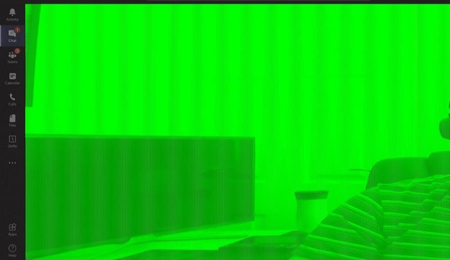
When I join a Teams meeting, or Video call someone, my own video feed looks fine for a few seconds and then goes almost completely green. If I join a meeting first, and can see my own face on scr...
 Jan 19, 2021
Found this in the release notes of 461.09
- [NVENC] Colors of webcam video image on receiving end of Skype/Teams/Zoom may appear incorrect [3205912 ]

ChrisBrodie9
Jul 16, 2020Tin Contributor
Unfortunately I was unable to resolve the issue. I had the green camera issue on both HD webcam and laptops inbuilt camera so not likely a driver issue. I believe another user had to replace their gfx card.
My issue was with my work laptop, and as I work in the IT department, I just swapped out my laptop for a new one. This doesn't help you at all, but I believe it's an issue with the gfx card, not the camera/drivers
My issue was with my work laptop, and as I work in the IT department, I just swapped out my laptop for a new one. This doesn't help you at all, but I believe it's an issue with the gfx card, not the camera/drivers

a5pin
Jul 16, 2020Copper Contributor
yeah I also suspect its a teams and graphics card issue, I cannot get teams to not use the hardware acceleration despite unchecking the tick box in the settings. Also I do see the graphics card and ram usage spike when the camera is being used.
If i run the camera through a 3rd party app like snapcam and then ask teams to use that source it works. But its a clunky work around. I do suspect it must be something to do with AMD graphics, hard ware acceleration and Teams. But I have no idea what the resolution is. I do feel a bit cheated that I might have to upgrade my graphics card to resolve. Thats not going to be cheap!