Forum Discussion

ChrisBrodie9
Mar 20, 2020Tin Contributor
Teams Video Feed Corrupted
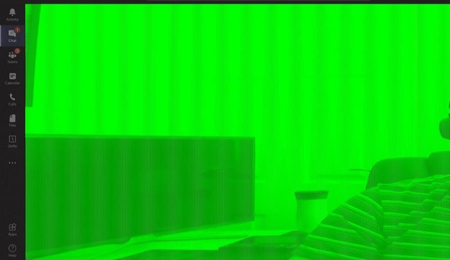
When I join a Teams meeting, or Video call someone, my own video feed looks fine for a few seconds and then goes almost completely green. If I join a meeting first, and can see my own face on scr...
 Jan 19, 2021
Found this in the release notes of 461.09
- [NVENC] Colors of webcam video image on receiving end of Skype/Teams/Zoom may appear incorrect [3205912 ]

Mar 20, 2020
Would be interested - do you get the same experience in the web client (https://teams.microsoft.com)?
Best, Chris
Best, Chris

ChrisBrodie9
Mar 21, 2020Tin Contributor
ChrisHoardMVP Teams webapp is fine. no corruption at all.
I've also tried 32 and 64bit Teams, same problem.
- Mar 21, 2020One further ask:
1.) Do you have another machine to try this on? Log in and see if it works?
2.) How about the mobile app?
Best, Chris- ChrisBrodie9Mar 21, 2020Tin Contributor
ChrisHoardMVP Mobile app is good, but hard to test on another corporate device as we're mot really going outside at the moment due to current world health issues...
- Mar 21, 2020Yeah, for sure - isolated here too.
Well, it's the desktop for sure. As the experience is clean on the web app, mobile app and in other clients (Skype) I would say to raise a ticket as soon as possible with the screenshots, confirmation and a link to this conversation, all the steps. I would also try to replicate the session with the green screen and immediately after pull the logs (right click on the sys tray icon)
I have no idea what would be causing this - but I would like to understand when it is resolved with MS. It would be great if you could post it back here in the community.
Best, Chris