Forum Discussion

Teams Polls - Where are the results (by name of respondent)?
 Feb 17, 2021
I had also been looking all over for my poll/forms.
Found it here by clicking on 'All My Forms'
Also created a poll in team chat (Not anonymous; Results not shared), can't see results, only the number of submissions. Poll not showing at all in forms over web. When I create a new tab with poll results it shows only my vote like I'm not the owner. It looks like some kind of bug..

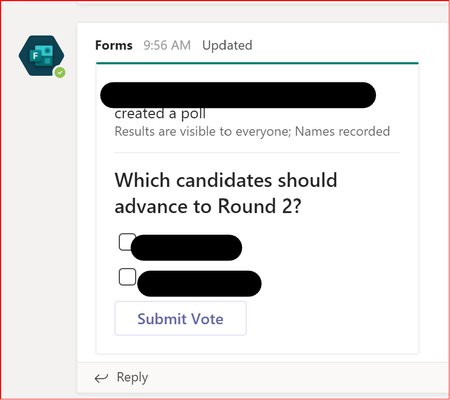
I am having the same issue. I created a poll in a subchannel:
I created the poll as non-anonymous, results are SHOWN. I can see the results but I do not see who responded. I have tried going to forms.microsoft.com but I do not see this form there. I see several others. Within that page, I see a link to the Team, but the Team shows "0 polls"
Seems like a bug.
- chooiycFeb 17, 2021Brass Contributor
I had also been looking all over for my poll/forms.
Found it here by clicking on 'All My Forms' fischerchristinaJul 11, 2024Copper Contributor
chooiyc Update 2024 at https://techcommunity.microsoft.com/t5/microsoft-teams/teams-polls-where-are-the-results-by-name-of-respondent/m-p/4189163/highlight/true#M134762
- ElenaDotNETApr 26, 2023Copper Contributor
on newest versions, go to https://forms.office.com/Pages/DesignPageV2.aspx?prevsubpage=creationv2, then you find the My forms filter, just like in image:
