Forum Discussion

Teams messages search function does not show full conversation
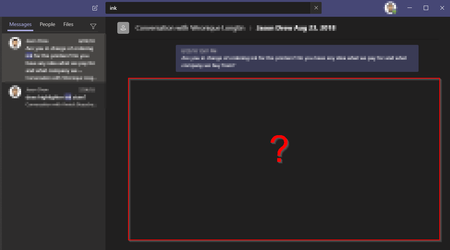

edit to my previous comment: that trend was broken. I stumbled upon searches with the same person that either led to navigate to the full chat history or just the message with the search text.

Antheaxx
JenniferReidy
ch1000540
I believe Teams will display the surrounding messages depending on how old the chat is. For more recent chats, it will show you the returned search result within the context of the full conversation; older chats will only appear as an isolated message.
As a workaround, once you're able to identify the person and date of the conversation you want to review, perform a search like this: (Sent:2019-11-13 From:Karen) OR From:Brian Sent:2019-11-13
(Use that entire string, both sides of the "OR", replacing "Karen" and "Brian" with your names).
The returned results on the left include all messages from me (Karen) or Brian on 11/13/19, in order of message timestamp. Not perfect, but hopefully will help you until better functionality is available in Teams.
 DanielTallentireApr 07, 2021Copper Contributor
Thanks this really helped me out!
You can also save a bit of time and not need to put in the users - if you go to the room / chat where the conversation happened, and press CTRL+F then you will get a search box that is specific to that chat.
Now you can enter Sent:2021-02-01 for example and all messages from that conversation will return on the left hand side.
 ChristianBergstromApr 07, 2021Silver Contributor
Maybe this will enhance the experience https://www.microsoft.com/en-us/microsoft-365/roadmap?filters=Microsoft%20Teams%2CIn%20development&searchterms=%2C66583
- MichelZCFMar 26, 2021Brass Contributor
F*** Teams.
I can find the message that I'm looking for. It's displayed on the left side when searching for it. Unfortunatly, when clicking on it, on the right side I get a totally unrelated message from the same day....
And it's the same with every message on that day when I search for all messages between my chat partner and myself on that day.
GRRRR TEAMS. GROW UP.
