Forum Discussion

Teams Internal user getting "Due to org policy changes this chat is no longer available."

jchimovitz With old chat I meant if someone has been switched over to Teams-only for ex. with the Skype logo being show in the old Teams chat.
What does this mean? "No one elses Teams shows that supervisor as an external contact." I don't understand as you say it's happening between two internal users. But at least it explains the message you attached previously "due to org policy changes..." as it shows when trying to chat with an external user during specific configurations, more details explained here
https://docs.microsoft.com/en-us/microsoftteams/coexistence-chat-calls-presence
Have you tried verifying the behavior using https://teams.microsoft.com and also do a manual sign out / sign in from the top right corner. Try resetting the desktop app as well by deleting all content in %appdata%\Microsoft\Teams
Still I would take a look at the settings I attached in the previous reply.
ChristianBergstrom So definitely not in an old chat.
What I meant by only the user and their supervisor was that they are the only two users this is affecting. So when the user tries to message their supervisor they are told that the supervisor is an external contact now instead of being part of our organization. That user is the only one who sees this message when trying to contact that specific supervisor. No one else has any issue calling or messaging that supervisor over Teams and that user only has the issue when trying to message or call that specific supervisor. here is an image of what occurs.
I have reset the desktop app and had both users log out of Teams then reboot then log into Teams again.

- ChristianBergstromOct 29, 2020Silver ContributorHi, if you are not able to narrow it down by previous suggestions, such as comparison, settings, policies and the coexistence appearance you experience (showing as external for that user) I recommend opening a ticket with the official support.
Let me know how it goes!- jchimovitzNov 11, 2020Copper Contributor
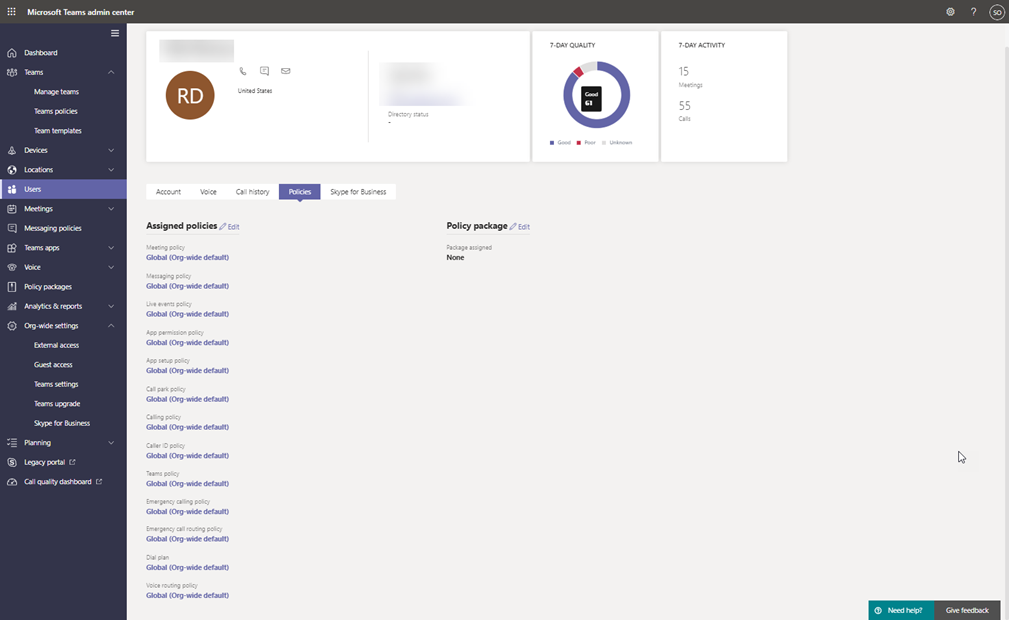
ChristianBergstrom I appreciate your help here. I am attaching some images to hopefully answer your questions regarding the settings in the admin center. I have found that the user has issues not only on his computer but on other computers we have tested it from.
 Peter FarrellNov 11, 2020Copper Contributor
jchimovitz ChristianBergstrom I'm the person in my org who is affected by this, and it's only when I reach out to two specific colleagues. Very strange.
I did try clearing out my %appdata%\Microsoft\Teams folder and relaunching, and that seems to have fixed it.
I have not tested yet, but I'm wondering if switching organizations will break it again (I have 2 external orgs I sometimes switch to). Very odd that it's only with 2 specific people that it breaks though.
- Peter FarrellNov 11, 2020Copper Contributor
ChristianBergstrom I have this exact same issue with two colleagues. When I call them, it rings their Skype for Business, if they call me, it rings to Teams. Both in Islands modes, nothing different about our accounts. I had a long case open with Microsoft about this about a month ago and then the issue resolved itself, so I closed the ticket. Unfortunately, it came back about a week later, but I haven't had the time to reopen the ticket.
jchimovitz - if you're able to get a resolution, please post here - thanks!