Forum Discussion

Teams Calendar Issue | "Couldn't load your calendar. Let's give it another try"
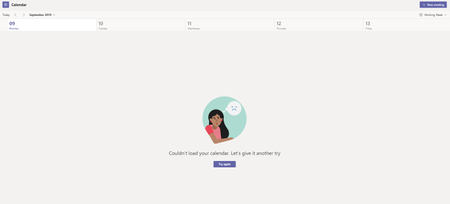

I had one user reported the same today. Here is what I did, but not sure which step(s) are the fix.
1. In Teams desktop app, check for update.
2. Log into portal.office.com, user signed in.
3. Go to Teams web app, go to Calendar. It loaded successfully there.
4. Go back to Teams desktop app, the update has completed. Follow the prompt, close desktop app, re-open. Go to Calendar in the desktop app again, it loaded successfully.

I tried this, but I have the same error on the portal as well 😞
- SqualaDesignMay 21, 2020Copper Contributor
Same problem, I cannot create event and not able to look my calendar
 thewonderMay 22, 2020Copper ContributorI have had this issue and fixed by reinstalling MS Teams 32 bit
64 bit making issues with O365 apps ACozerMay 21, 2020Copper Contributor
SqualaDesign I have the same issue. My problem with with Chrome. Here's what I noticed:
1) If I use Chrome in Private mode and authenticate I have full access;
2) If I user Edge it does work.
Looks like it's a permission with the user profile on Chrome.
