Forum Discussion

TEAMS - Extra Space between Keyboard and Typing Window
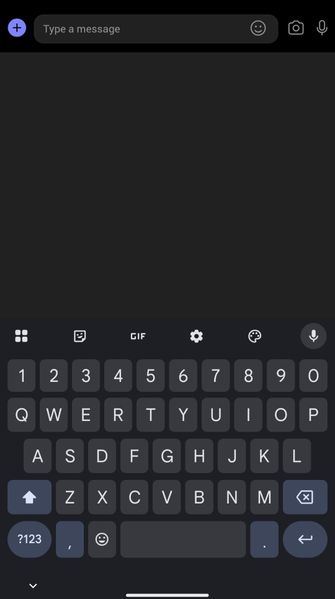

You’re seeing a blank band between Gboard and the Teams composer on a Vivo X200 FE running OriginOS/Android 16, while the keyboard appears normally elsewhere. That Teams-only scope makes client troubleshooting the safest first path; it does not prove whether Teams, OriginOS, or Gboard is responsible. In Teams, open profile picture > Settings > About, record the version, then install any update from Google Play. Next, open Settings > Data and storage > Clear app data > Clear data, sign in again, and test. If spacing remains, uninstall and reinstall Teams from Google Play, then retest before changing keyboard settings. Finally, open Settings > Help and feedback > Send feedback, attach logs if offered, and include a screenshot, phone model, OS build, Teams version, and reproduction steps. I could not find a Microsoft-published fix for this exact combination, so submitting those diagnostics is the appropriate next step.