Forum Discussion

"Someone has already set up Teams for your organization"
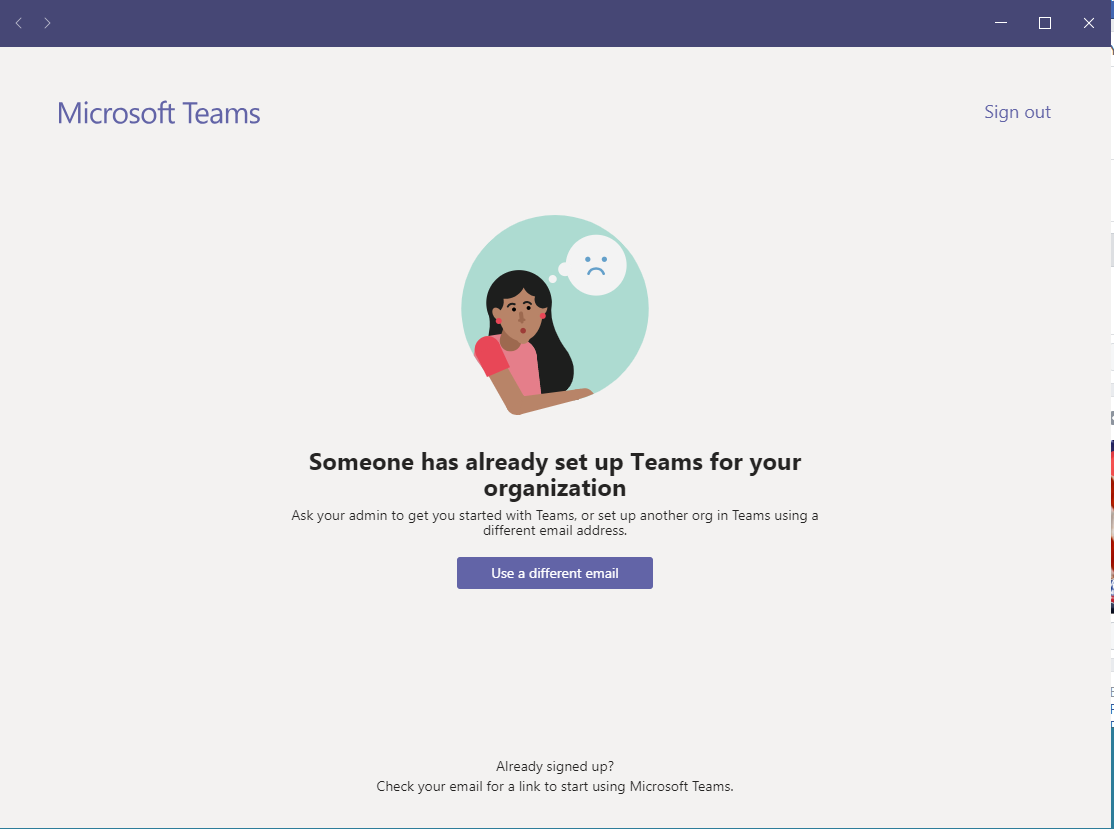

 Microsoft
Hi there dbrower256, can you please reproduce the error/issue and obtain the following logs for me to further understand the behavior?
1. Is the same email in use to log into the Telehealth scenario?
2. Can you provide the logs when on the error screen? The following keys pressed at the same time will open a download to your downloads folder.. If you don't mind providing that to me either via DM or via the email below, that would be great!
-- Ctrl + Alt + Shift + 1
Sam
PM, Teams Engineering

Yes. I am using the same email for my free setup as my telehealth meeting.
I just sent you the error logs. There are 6 of them.
- Sam CosbyApr 16, 2020
Hi dbrower256 - When you're signing into teams via https://teams.microsoft.com from your account, do you see a prompt asking for a 'work or school account', as well as a 'personal account'? When here (if you see it), select work account instead. You may need to select this in an inprivate browsing window.
Best,
Sam
PM, Teams Engineering
- dbrower256Apr 16, 2020Copper Contributor
No. I have seen that before, but I don't see that anymore. It just automatically tries to log me in. I'll try clicking logging in with a different email address and see if it gives that message.
- Sam CosbyApr 16, 2020
dbrower256 - So we believe we've found the issue. If you can confirm the scenario above then that would be great. Here's an article which references the issue: https://support.microsoft.com/en-us/help/12407 ("I want to use a different email address or phone number to sign in"). The issue here is that your account is tied to both a work & personal account, so in order Teams sign-in flow to work, you'll need to 'de-link' these accounts with the steps in the article.
Thanks,
Sam
PM, Teams Engineering
- dbrower256Apr 16, 2020Copper Contributor
I tried signing up for free and using that same email address. It says it looks like a school account. That's an error. It's not a school account.