Forum Discussion

SharePoint document set as Teams Tab
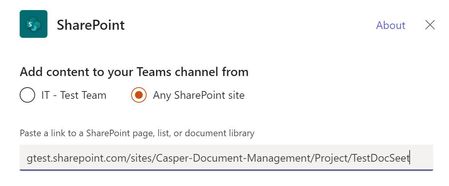

Still broken in 2026, and it isn't anything on your side.
The SharePoint tab only accepts sites, libraries, folders and pages. A document set is none of those. It's a list item with a content type, and its home page is an application page with a query string like /Forms/Document%20Set/docsethomepage.aspx?ID=42. The tab can't resolve that to a folder, so it rejects it. That's why the whole library works and a single set doesn't.
Workaround: add it with the Website tab instead and paste the docsethomepage URL. It renders fine, though it loads in an iframe and won't follow Teams dark mode.
Closer to native: add the library as a SharePoint tab and set the default view to filter to that document set. You lose the set's landing page and shared metadata, but the tab behaves properly.