Forum Discussion

SathishBalipursad
May 08, 2020Copper Contributor
Setting a reminder for a Teams Meeting
Hi All Is it possible to set up a reminder for a Teams meeting that is already in your calendar? Regards Sathish

Mitchell Bakker
May 08, 2020Steel Contributor
Hi Sathish,
It can also be done in the outlook app on the mobile but not via teams.
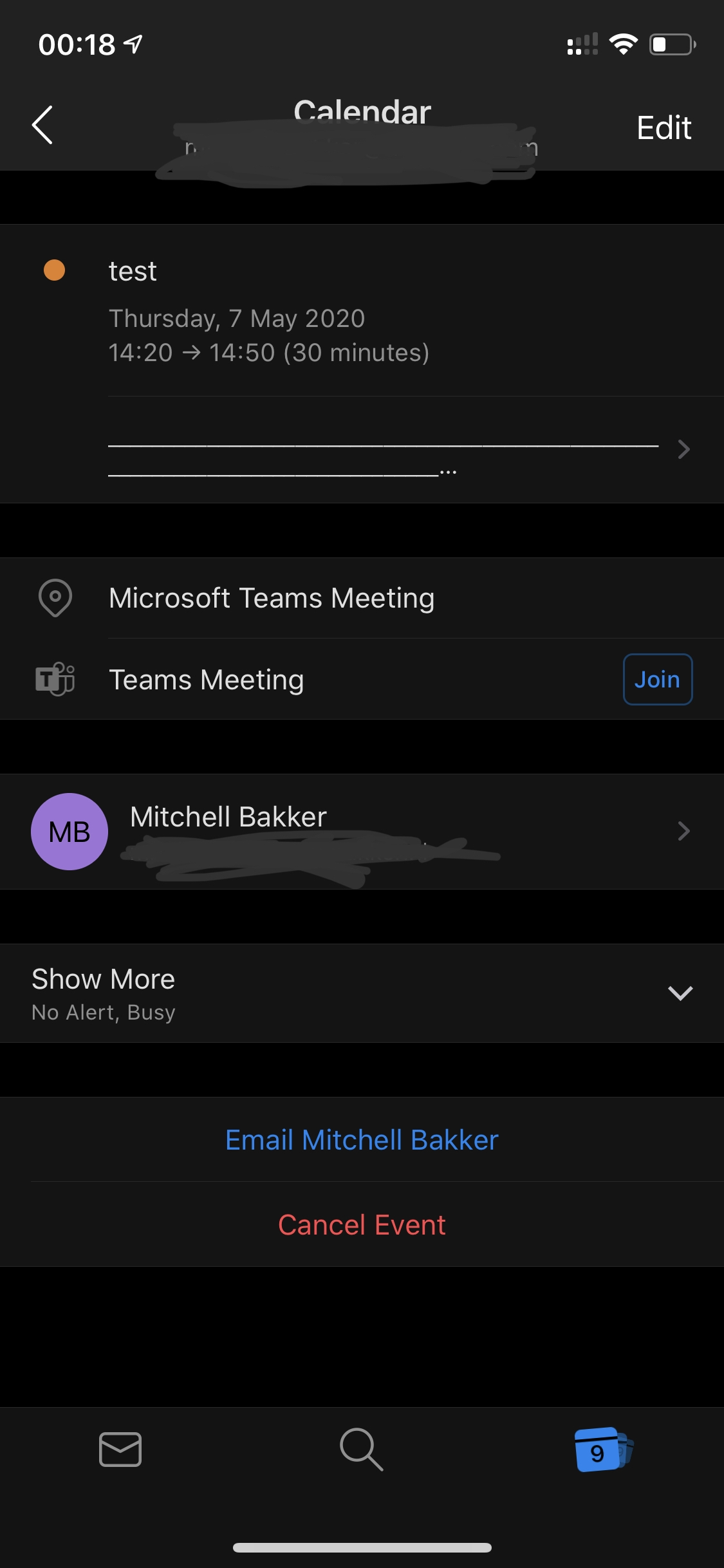
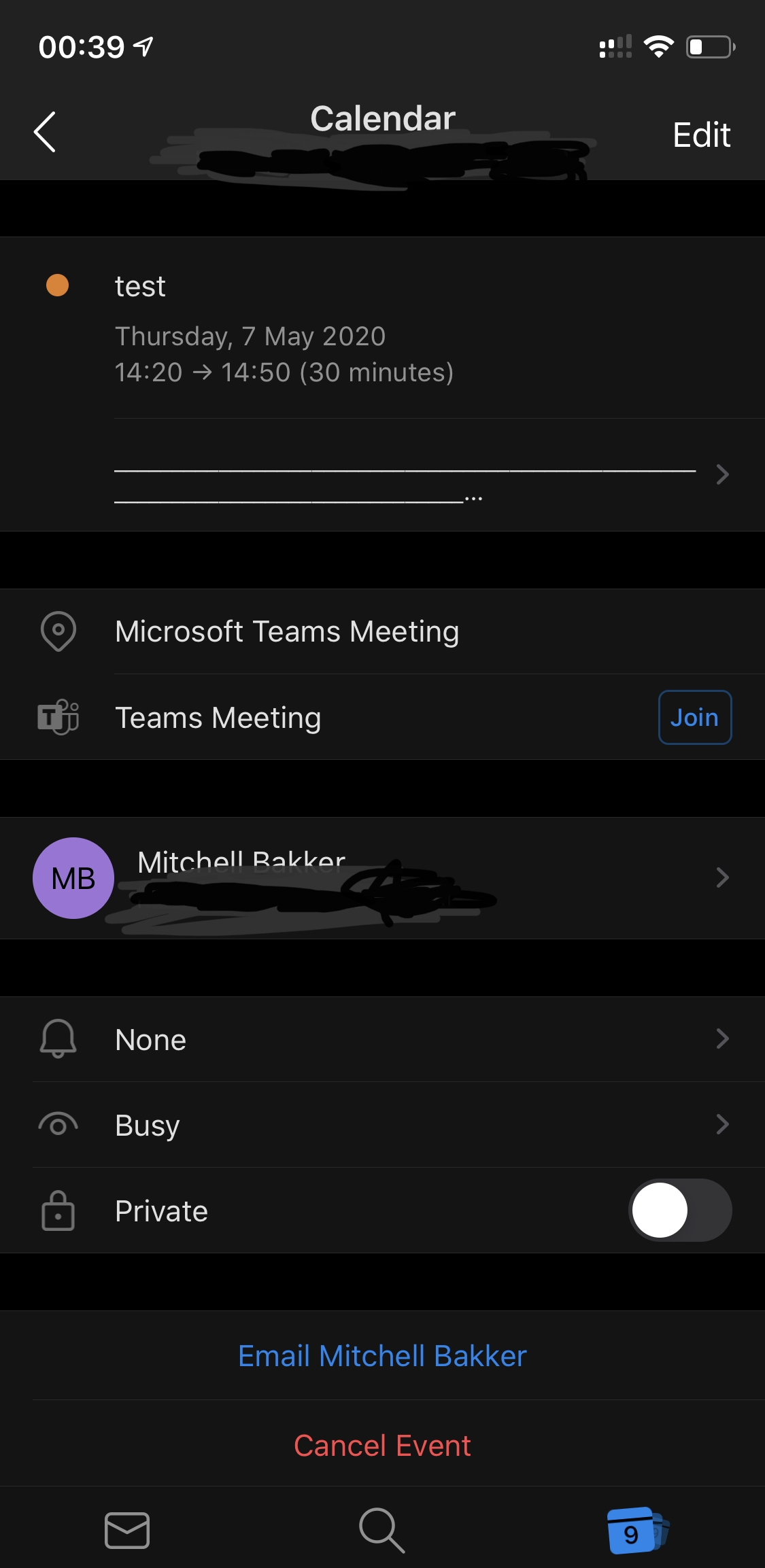
In outlook, go to you Calendar and open the appointment. You will see “Show more” (see screen1 attachment), when clicking on it, you will see some options (see screen2 in attachment). Select the first option, the bell, as this is the notification section.
You will see some options when you want to be notified (see screen3 in attachment). Select the option you want and save the appointment.
That should be it 😀
Let me know if this worked for you.
Kind regards and stay healthy,
Mitchell Bakker
It can also be done in the outlook app on the mobile but not via teams.
In outlook, go to you Calendar and open the appointment. You will see “Show more” (see screen1 attachment), when clicking on it, you will see some options (see screen2 in attachment). Select the first option, the bell, as this is the notification section.
You will see some options when you want to be notified (see screen3 in attachment). Select the option you want and save the appointment.
That should be it 😀
Let me know if this worked for you.
Kind regards and stay healthy,
Mitchell Bakker

 RoseCampbell2Jan 18, 2021Tin Contributor
Is there a way to send out a reminder to a whole class or a whole channel, rather than a note to yourself?
Thanks!
Rose Campbell
 mmp92054May 21, 2021Copper Contributor
RoseCampbell2 This may not be what you want in this instance, but I think a way to contact everyone in a channel is to try "@channelname" in the channel chat. It should notify everyone on that channel of whatever message you have. This may not be desired if your meeting is a subset of that channel membership.
 Heather207Apr 27, 2021Copper Contributor
RoseCampbell2 I was just able to do this by going into Outlook, right-clicking the meeting within the calendar, and choosing "Reply to All".