Forum Discussion

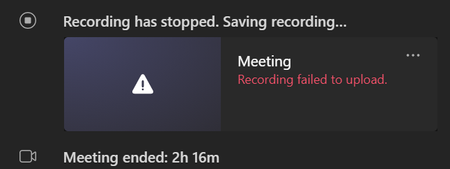
Recording failed to upload [November 2021]
- Nov 23, 2021
As already mentioned, there was an incident yesterday affecting Teams meeting recordings. You need to open an official support ticket with Microsoft for assistance, the community cannot do anything about it. If you're not an Teams admin / IT admin reach out to your organizations admin and ask that person to create a support ticket from the M365 admin center.
Let me add to this that some users have been able to access their recordings by having their admin using the support tool "meeting diagnostics" from within the M365 admin center.
Self-help diagnostics for Teams administrators - Microsoft Teams | Microsoft Docs

We had the same problem today, raised a support ticket. I have no idea how you download files from AMS. It talks about it half way down this pages https://docs.microsoft.com/en-us/microsoftteams/tmr-meeting-recording-change
I only could find AMS within the azure portal under Media Services however nothing obvious in there.

- justanotherdayNov 22, 2021Tin ContributorFYI all our meetings are started manually. We use this feature a lot everyday, and this is the first time we have seen this. I can see from the logs we have had successfully recorded meetings today. So I am presuming this was a glitch on the back end.