Forum Discussion

nmlynch
Apr 08, 2022Brass Contributor
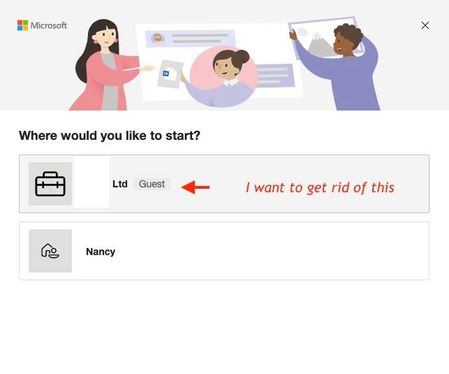
Deleting guest account from my Teams account
Hi! 3-4 years ago I was invited by an organization to be a guest in Teams. I have no current interaction with them and no longer need to have them in my list of Teams or accounts. How can I delete...

jaymaradiaga
Apr 08, 2022Iron Contributor
Hello,
If you are a team owner, click on "Show channel info" > Scroll down until "See all member" then go to members and guests and you can remove it from there.
Also you can ask to the tenant admin to delete it for you in the Teams admin center.
Hope this helps.
JM
If you are a team owner, click on "Show channel info" > Scroll down until "See all member" then go to members and guests and you can remove it from there.
Also you can ask to the tenant admin to delete it for you in the Teams admin center.
Hope this helps.
JM
 nmlynchApr 09, 2022Brass Contributorjaymaradiaga - Thank you for your reply. I am not the team owner - I am a guest outside their organization. I think I'm going to have to ask them to remove me. Thank you!
- jaymaradiagaApr 11, 2022Iron ContributorHello,
Got it, can you try to use this URL: https://myaccount.microsoft.com/organizations
I tried with my personal account and it works.
Please let me know
JM