Forum Discussion

joec55
Feb 08, 2020Brass Contributor
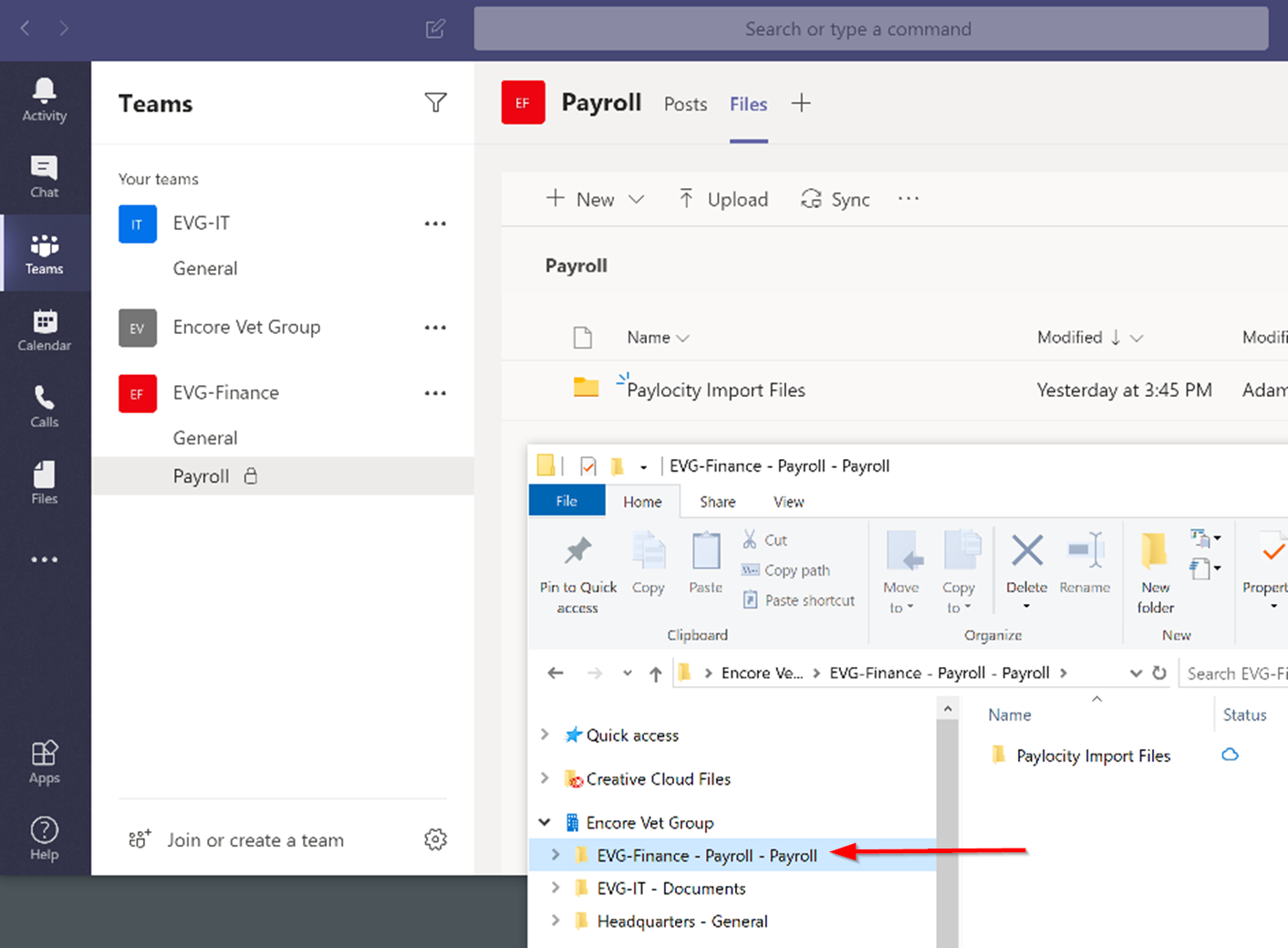
Private channel - sync to explorer doubles the site name
Hello everyone, I'm experiencing some odd behavior that I hope someone can explain. While in the Teams app, I created a private channel called "Payroll" in a team called "EVG-Finance" and then cl...
- Feb 09, 2020Hi guys,
This is as designed. Private channels create separate site collections. In explorer, it is showing the name of the site collection not a duplication.
Example of standard channel
EVG-Finance (site collection) - General (Folder)
Example of private channel
EVG-Finance - Payroll (Site Collection) - Payroll (Folder)
Hope that makes sense. It is the way that Teams is architected. I can see how it’s confusing as part of the site collection is named the same as the folder and gives the impression when synced to explorer that it’s duplicated when it’s not.
Hope that answers your question. We all have the same 😄
Best, Chris


PDostiyar
Apr 27, 2020Bronze Contributor
Here is quick tip,
First and foremost I would not sync and rather use the teams Files tab which gives you rich experience unless if you need to sync to local drive and windows explorer then you should be able to do it but have to be a member or owner of that private channels.
Please let me know if further informations are needed.
Regards
First and foremost I would not sync and rather use the teams Files tab which gives you rich experience unless if you need to sync to local drive and windows explorer then you should be able to do it but have to be a member or owner of that private channels.
Please let me know if further informations are needed.
Regards

daviddelven
Apr 28, 2020Copper Contributor
PDostiyar Hello, Pervaiz. I am the owner of the O365 tenant, and also the owner of those Private Channels. We always use "Files" tab for uploading to "cloud-based" folders and MS Sharepoint Online to edit Metatada.
The problem appears with "work in progress" folders, synchronized to Windows Explorer from MS Teams "Files" Tab (or SPO Synch option, doesn't matter) and locally the folders in the Local Onedrive for Business appear "locked" and "read only".