Forum Discussion

Samriddha
Oct 16, 2020Copper Contributor
Planner not working in Teams
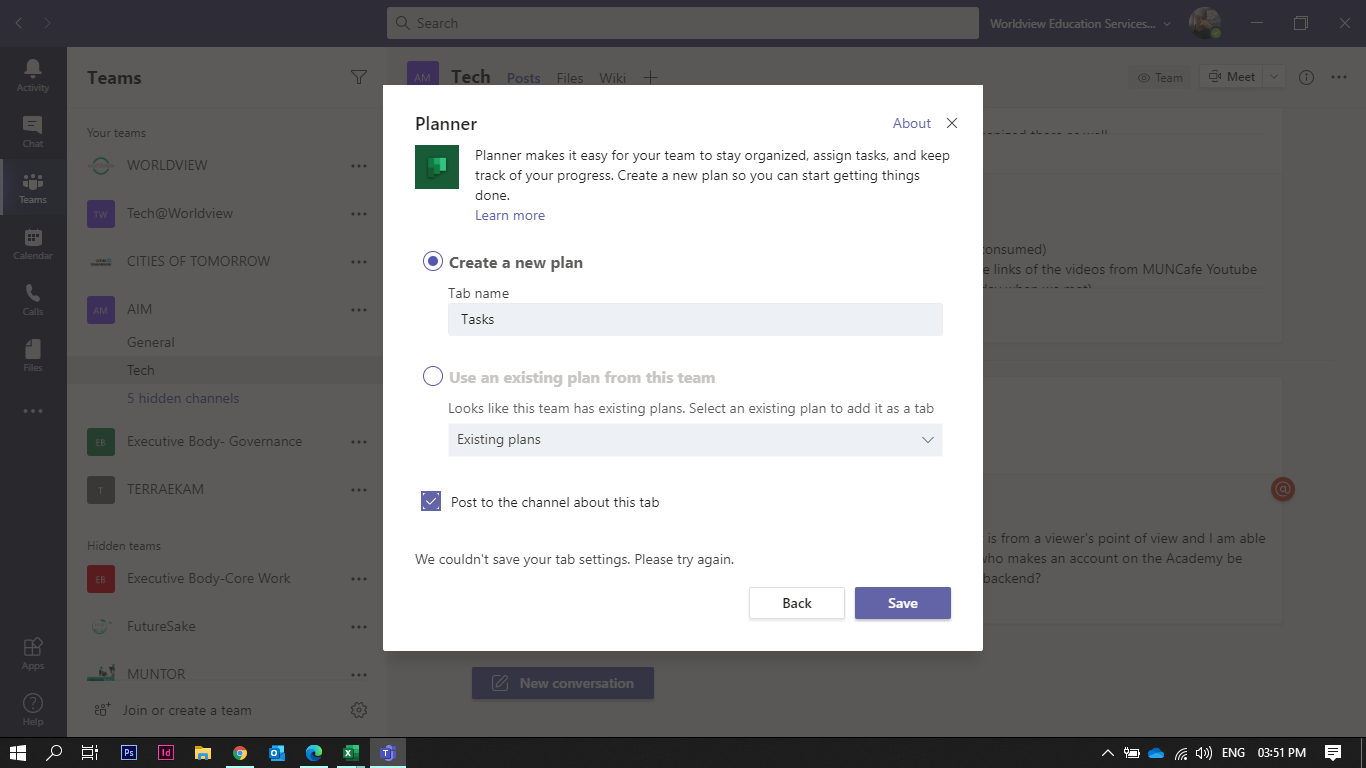
Hello, I've been using Office365, Teams, Planner for a while now. Been a few days that I'm unable to add a new Planner to a Channel. Every time I try to add Planner to any Standard Channel, it re...

okrrray
May 10, 2022Copper Contributor
Samriddha I've run across same issue.
From my troubleshooting, it seems to be related to renaming of a Team (or channel possibly, but definitely Team), and not deleting a pre-existing task list or task plan that was part of the original Team name. If you happen to leave a pre-existing task list/plan from the old Team name, then the app can't seem to resolve, as it runs into errors trying to find the original task list/plan (under the old Team name.) And it seems to also then cause problems with reinstalling or creating a fresh task list/plan.
I'm hoping there's a way to reset or remove that task list stored in memory, after the fact.
The only solution I've found is that I have to create a brand new Team from scratch, and then the Task app works again. But I don't want to have to do that with all my pre-existing Teams.
IF anyone has experienced similar situation please let me know if you were able to resolve with the existing Teams (vs. creating a new Team from scratch.)
- okrrrayMay 10, 2022Copper ContributorFound success with making sure that you're listed as not only as owner, but also as a member of that team/group.
I was just listed as owner in the problematic teams/groups. Once I added myself as a member as well (teams and groups in MS Admin center), I was able to add the tasks/planner app back in. Solarkola360Jun 03, 2024Copper Contributor
okrrray Having similar issue at the moment, but am unable to set up the planner app in tabs or channels. do you have any other suggestions.