Forum Discussion

MS Teams Channel missing - but files and channel appear in SharePoint online
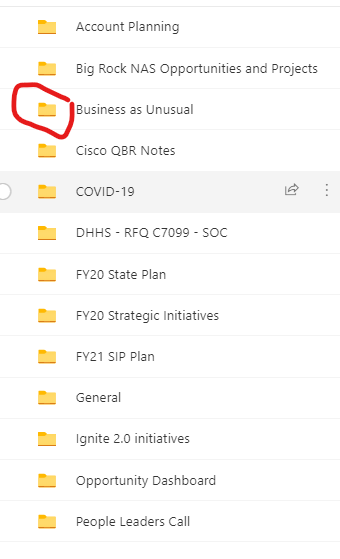
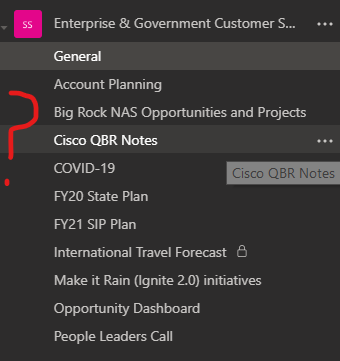

Having the same issue here. I have quite a few channels, just under 130, in one collaboration team. Users reported that about 70-80 of them disappeared this morning. Many of us were using Teams, even in these channels, and one by one users reported it missing. I am the Teams admin so I went in and looked and for a minute they were all there and then disappeared on a refresh. All files still exist for each Channel in Sharepoint. This is currently only affecting the desktop and browser but my Teams still look active using the android app on my phone. We have a ticket in with our IT company and they are working with Microsoft on it. They have at least acknowledged the issue but no feedback yet. Anyone else have good luck on a resolution? Or did it just come back. Saw an error once so far that said something about a connection error.

BrandonMeyers I have a Team Owner with the same issue. They created a channel early on 9/7/2021 and today 9/28/2021 the channel just disappeared. The Team Members were not able to access the Team as it just disappeared this morning along with access. However the SharePoint site still retained all the folders and permissions. I verified that the group still had all the members. So it is very odd as they could not use the Team App but the web browser allowed them to gain access to their Team. As a stop gap I re added them to the Team. The Channel is still an outstanding issue.