Forum Discussion

JohnC1130
Sep 19, 2019Copper Contributor
Migrating mass files to teams results in errors
I have 25.7Gb of data (40,450 files and 6,373 folders) on my PC that I need to add to one of my Team's "General" folder. I need that added there so that when I open the Teams App I can see all these...
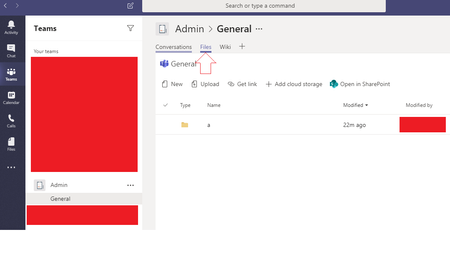
- Sep 19, 2019
Hi JohnC1130, you can map your OneDrive within the SharePoint site of Teams and then you just copy the files in your PC and let OneDrive do the sync to the SharePoint site.
You can read more the process here https://support.office.com/en-us/article/sync-sharepoint-files-with-the-new-onedrive-sync-client-6de9ede8-5b6e-4503-80b2-6190f3354a88
Best Regards


Sep 19, 2019
Hi!
Have you looked at third party migration tools such as ShareGate or AvePoint? May be able to do this.
You could sync the site to your local PC and then copy them across but that would be manual work, time and bandwidth.
Hope that answers your question!
Best, Chris
Have you looked at third party migration tools such as ShareGate or AvePoint? May be able to do this.
You could sync the site to your local PC and then copy them across but that would be manual work, time and bandwidth.
Hope that answers your question!
Best, Chris

JohnC1130
Sep 20, 2019Copper Contributor
The trail is worthless as it has a warning that says "This is a trial edition. Some items and documents may be randomly skipped". And the cost for a single licence is an eye blistering $5000. Far too much for a small company.
I’m very surprised that SP can't cope with large file copying.
I’m very surprised that SP can't cope with large file copying.
- Sep 20, 2019Have you tried any of the other methods outlined within this thread including syncing the SharePoint site and copying, using the CSV method as Timothy suggested or mapping OneDrive as Nino suggested?
Best, Chris