large file upload
1 Topic
Migrating mass files to teams results in errors
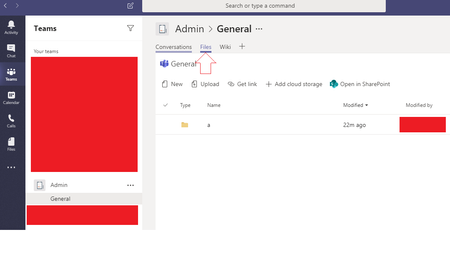
I have 25.7Gb of data (40,450 files and 6,373 folders) on my PC that I need to add to one of my Team's "General" folder. I need that added there so that when I open the Teams App I can see all these files listed there under the "files" tab. As seen in the image below I would like all these files to be appearing in the "Files tab" of the "Admin Team". I've tried using the "SharePoint Migration Tool v3.1.110.1" but it can't copy to that folder as it simply doesn't see the "General" folder that Teams creates. I can NOT copy it to https://[hidden].sharepoint.com/sites/admin/Shared%20Documents/ but I can copy it to https://[hidden].sharepoint.com/sites/admin/ and then choose Documents as shown below. However you can't see anything on Teams unless you move the items to the General folder... however try as I may, the files do not move. SP always runs into an error. Does anybody know how to migrate a large amount of files to the Files tab in teams?Solved3.6KViews1like9Comments