Forum Discussion

MicrosoftTeams PowerShell cmdlet doesn't work
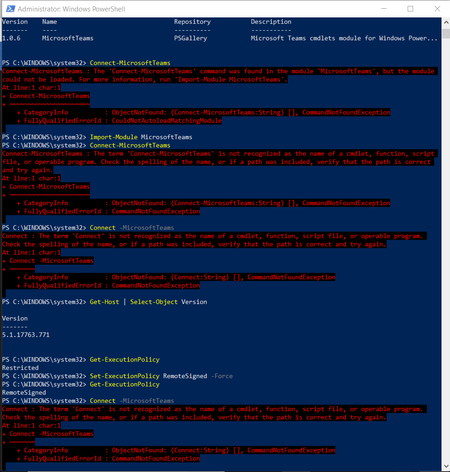
- Jan 07, 2021Finally, this post works for me.
https://infra.engineer/windows/63-powershell-error-message-warning-unable-to-resolve-package-source

Hi, Mitchell Bakker,
Thank you! I also contacted Office365 support and the agent show me the correct and updated command lines to run:
PS C:\WINDOWS\system32> $credentials=Get-Credential

cmdlet Get-Credential at command pipeline position 1
Supply values for the following parameters:
Credential
PS C:\WINDOWS\system32> Connect-MicrosoftTeams -Credential $credentials
Shame that Microsoft Teams PowerShell cmdlet documentation was not updated or friendly to a 1st-time/new user like me.

- AlanWaSep 03, 2020Copper Contributor
Hi Mitchell Bakker unfortunatley peter-wxin solution didnt worked for me. My Powershell version is 5.1.19041.1
After providing credentials and running the cmd "Connect-MicrosoftTeams -Credential $credentials" it's still throwing the same error.
Microsoft Teams cmdlets module version installed is 1.1.4Please help
Kind Regards
Alan
- peter-wxinJan 07, 2021Tin Contributor
Now it's even worse. I cannot install the module in my office... And I tried https://www.powershellcenter.com/2020/08/27/powershell-fix-warning-unable-to-resolve-package-source-https-www-powershellgallery-com-api-v2 still no good.
- peter-wxinMay 14, 2020Tin Contributor
Mitchell Bakker Yes, thanks!

