Forum Discussion

Microsoft Teams Notification Popup
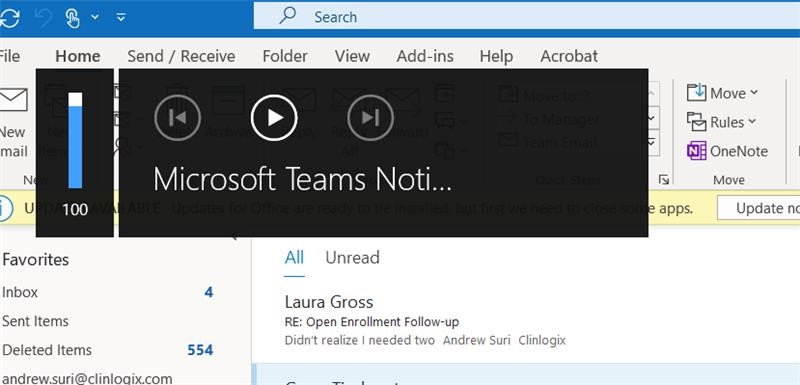

This has been driving me crazy. I spent an hour fruitlessly looking for a solution and then stumbled on it on my own: at the very bottom of the general settings in Teams, check "Turn off animations."
 Sam221560Nov 16, 2021Copper Contributor
This seems to have worked for me! Checked 'Turn off animations' under General Settings then restarted the Teams. To restart, right-click the Teams icon in the taskbar, then select Quit. Then reopen Teams.
 rroy115Mar 18, 2021Copper Contributor
I didnt even have the box checked and im getting this black box any other suggestions disillusioned
- disillusionedMar 18, 2021Copper Contributor
rroy115Try checking it, restarting Teams, unchecking it, and restarting Teams.
- JaredIoninFeb 08, 2021Copper Contributor
disillusioned where do you see General Settings? I am wondering if our administration has this turned off as I don't see that anywhere. Can you paste some screenshots? Thank you!
- disillusionedFeb 08, 2021Copper Contributor
JaredIoninRight-click the icon in the system tray.
- JaredIoninFeb 08, 2021Copper Contributor
disillusioned thanks so much. Just to be clear, this removes the stupid black box that shows up in the top left of your screen by removing animations?