Forum Discussion

judit9145
Mar 25, 2020Copper Contributor
Microsoft Teams - delete organization in the free version
I try to use Microsoft Teams in a free version for company, and i made a group/organization on my mobile phone, but my boss made another with same name. We don't need two. The name is: Közbeszerzési ...

LinusCansby
Mar 25, 2020MVP
Check this:
Only an admin can delete a Teams free organization. You're automatically an admin if you created the Teams free org, or if another admin changed your role to admin.
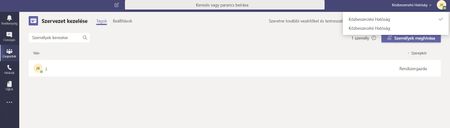
First, you need to remove all the people from the team (except yourself). To do this, sign in to the Teams free org you want to delete, click your profile pic at the top of Teams, then select Manage org. Click the X next to each person to remove them.
Next, contact Microsoft Support via phone. Ask the support agent to delete the Teams subscription. This will in turn delete the Teams free org.