Forum Discussion

Got invited to a new organisation using my current work email. Cannot switch!
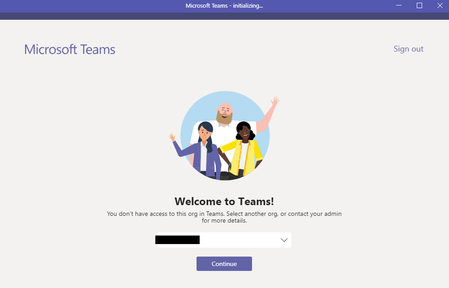

Ditto.
I'm already in one orgs teams, now invited to another Teams as a guest. They decided to drop Slack for Teams - and there it is, a message telling me i'm invited. Use of the link or the drop down command to swap to that Org and it just cycles around, then eventually goes back to the invite message.
VSO messages are being sent to my e-mail box with Teams links but they fail to open. I'm pretty sure it's not an Azure issue as I can still access VSO and other project tools. This happens on the app and on the web.
This is still an issue and unfortunately no reply yet. It apparently works on Mac but it persists on Windows. Knowing this is a Microsoft product, I am a bit disappointed. I still communicate with the customer over long email threads of short messages! Not very professional.
- Oct 15, 2019
pedramm Just to understand your question/problem. You got invited on your own mail adres and you already use Microsoft Teams with your own mailadres? And now someone else invited you on your mailadres to join their teams environment with your mail adres?
If this is true you should have had a invite to join the team. But also on the right hand corner when you logged in you should be able to change the organisation where you are logged in.
And you should not have to logout.
Please reply if my assumptions are correct and working.
 mobediOct 16, 2019Copper Contributor
Your assumptions are correct. I get the invitation in my mail. I open it and the rest is as I explained. MS Teams asks me to wait until they switch organization and then it fails.
For some reason, I do not get the change organization option on the upper right-hand side of the app or the Web version. This has confused me a lot. Since I get the same reply on Reddit as well.
